
RTSP
RTSP Viewer for Mac: VLC Live View vs NVR Recording
Choose an RTSP viewer for Mac to open IP camera streams, test VLC playback, build a live wall, or add NVR recording, timeline, retention, and recovery.
What an RTSP viewer for Mac does
An RTSP viewer accepts a camera stream address, negotiates the session, and decodes the advertised media for immediate display. On a Mac it can verify a new camera URL, check framing, monitor one feed, or keep several authorized cameras visible in a live wall.
The word viewer describes the live-view job, not a certification. Some RTSP player apps stop at one stream, some add snapshots or manual clips, and some combine viewing with full NVR recording. Decide which job you need before comparing feature lists.
How to choose an RTSP viewer on Mac
- Protocol: confirm RTSP or RTSPS support and the camera's authentication method.
- Media: test the exact H.264 or H.265 profile, resolution, audio track, and main or sub stream.
- Layout: decide whether one camera is enough or you need a stable multi-camera wall.
- Recovery: check reconnect behavior after the camera, network, or app restarts.
- Recording: distinguish a manual clip from continuous recording, retention, timeline playback, and export.
Camera resolution alone does not choose the viewer. A 2 MP stream still depends on its codec profile, bitrate, packetization, credentials, and transport.
Use VLC for a one-stream check, then test the real workflow
VLC can work as a general RTSP player on Mac: open Network Stream, enter a URL that you are authorized to use, and confirm that video arrives. It is useful as an independent diagnostic, but one successful preview does not prove multi-camera layout, long-running recording, storage retention, or restart recovery.
For a controlled Mac test, first find the exact camera RTSP URL, confirm its configured RTSP port, and then follow the Mac RTSP stream test. Keep credentials in protected application fields rather than shared URLs or screenshots.
What an NVR adds
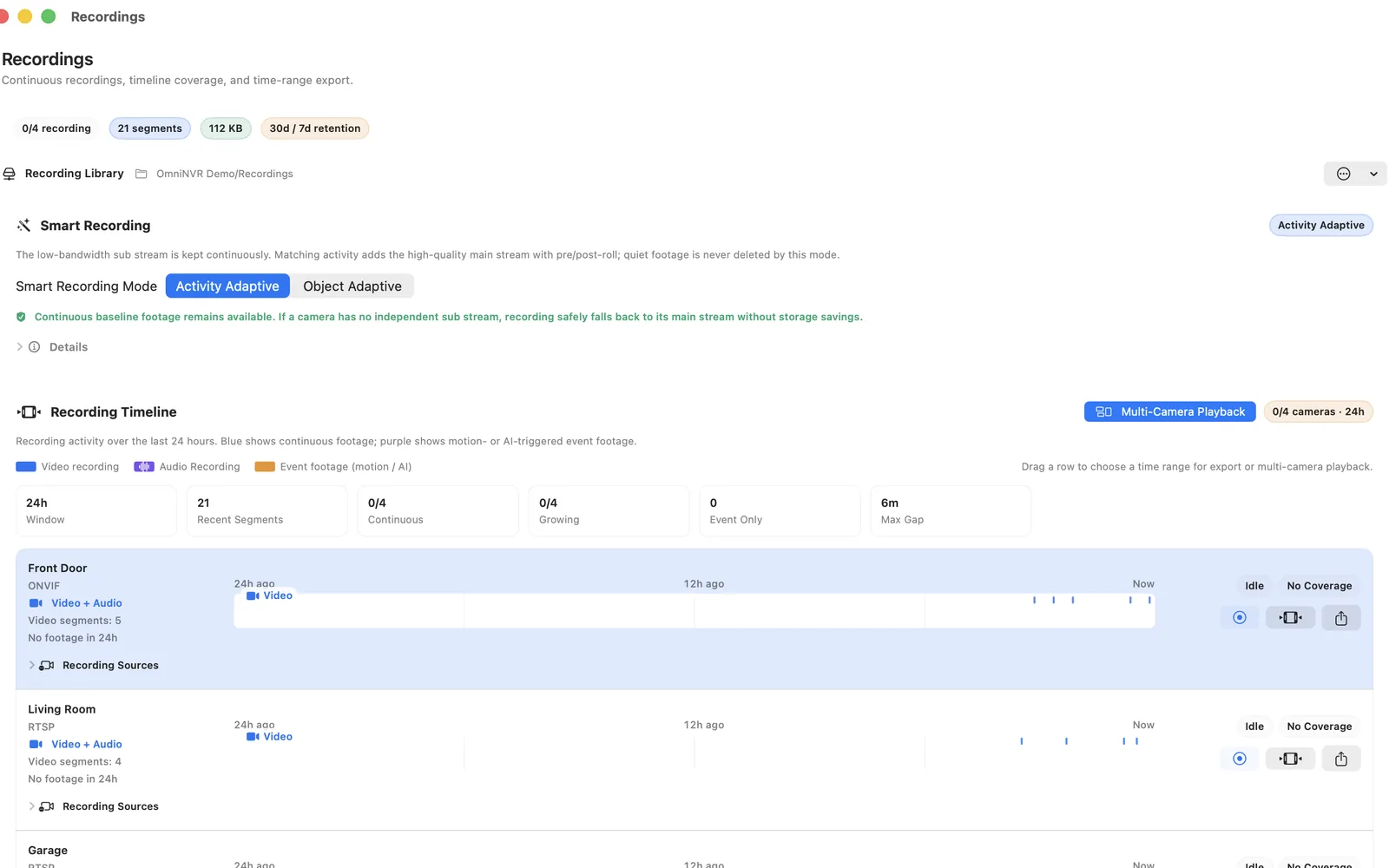
An NVR keeps camera sessions and recording policies running over time. It writes bounded media segments, indexes them by camera and timestamp, enforces storage limits, exposes timeline playback, and should recover after application restarts, storage interruptions, and temporary camera outages.
Those responsibilities add failure modes that a viewer never exercises: filesystem permission, free-space exhaustion, timestamp discontinuity, database state, segment finalization, retention, and export.
Feature comparison for a real deployment
| Need | RTSP viewer | NVR software |
|---|---|---|
| Open a live camera stream | Core purpose | Usually included |
| Continuous recording | Usually limited or absent | Core responsibility |
| Searchable timeline | Usually absent | Expected |
| Retention and storage budget | Usually absent | Expected |
| Restart and reconnect recovery | Session-level | Recording-level |
| Incident export | May save a manual clip | Exports a historical interval |
Compare the exact products you are considering; “viewer” and “NVR” are descriptive categories, not certifications.
When a viewer is enough
Choose a viewer when you only need an on-demand picture, are commissioning a camera, or want a lightweight wall display and another system already records the footage. It can also be the quickest way to isolate whether a stream URL and codec are valid before troubleshooting an NVR.
Do not promise incident history from a device that was never configured to record. A live image observed yesterday cannot be reconstructed today.
When to choose a Mac NVR
Choose NVR software when you need local recording, a retention policy, timeline review, and repeatable export. Test the complete loop: open the exact stream, create and replay a recording, restart the application, interrupt the network, check recovery, exercise the planned storage budget, and export a clip where supported.
OmniNVR for Mac combines an RTSP camera viewer and multi-camera wall with local NVR recording. OmniNVR can also record locally on iPhone, iPad, and Apple TV, but recording modes, storage options, and review tools differ by platform. Camera compatibility still depends on the actual RTSP or ONVIF implementation, codec, network, and available storage.
Frequently asked questions
What is the best RTSP viewer for Mac?
The best choice depends on the task. Use a simple player for a one-off URL check. Choose a multi-camera viewer when layout and reconnect matter, and choose NVR software such as OmniNVR when you also need local recording, retention, timeline playback, and export.
Can VLC play an RTSP camera stream on Mac?
Yes, VLC can open many authorized RTSP camera URLs and is useful for validating one stream. Successful VLC playback does not prove that continuous NVR recording, retention, timeline indexing, or restart recovery will work.
Can OmniNVR work as an RTSP viewer?
Yes. OmniNVR can display compatible RTSP, RTSPS, ONVIF, and HLS camera inputs on Apple platforms and adds local recording features. Verify the exact stream and released platform capabilities before deployment.
Can an RTSP viewer record video?
Some viewers can save snapshots or manual clips, but that does not automatically provide continuous recording, retention, indexed playback, or recovery expected from an NVR.
Why does a camera work in a viewer but fail in an NVR?
An NVR adds sustained transport, timestamps, segment writing, storage permission, indexing, retention, and playback. Any of those layers can fail after live decoding succeeds.
Sources and further reading
Record locally on the Apple device that fits the job.
Mac, iPhone, iPad, and Apple TV all support local recording. Recording modes and storage options can differ by platform and app version.