
Troubleshooting
RTSP Camera Not Connecting? Diagnose URL, Port, Auth, and Transport
Fix an RTSP camera connection systematically by testing reachability, stream paths, credentials, transport, codec, and NVR-specific recording behavior.
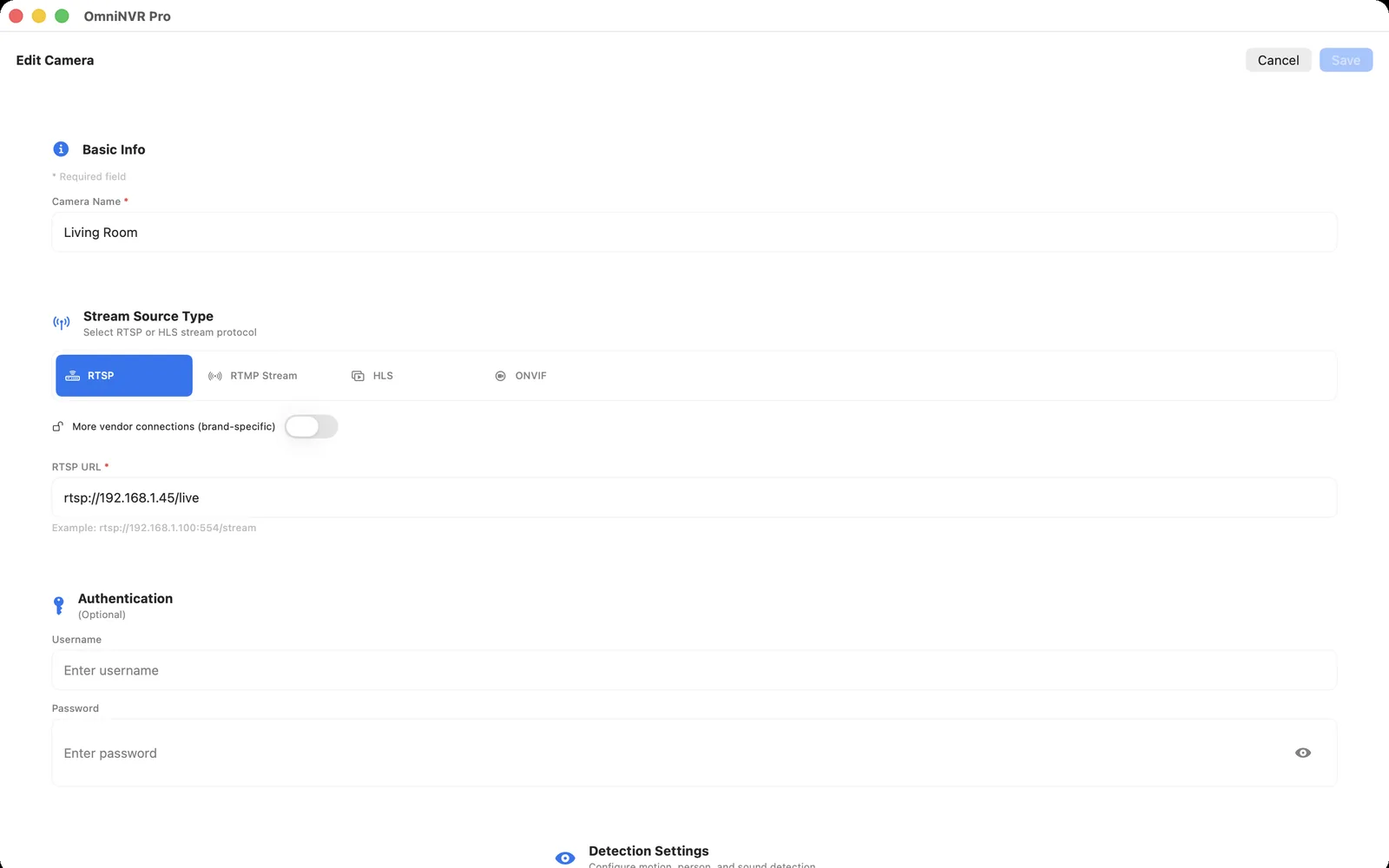
1. Prove basic network reachability
Confirm that the NVR host is using the intended network and that the camera address has not changed. Guest Wi-Fi and wireless client isolation can prevent two devices on the same access point from communicating. Across VLANs, verify routing and narrow firewall rules from the NVR to the camera.
Port 554 is the default for an RTSP URI that omits a port, but a camera can be configured differently. Use the device's current setting and the RTSP port 554 checklist to distinguish TCP reachability from a working media session. Do not expose the port directly to the public internet merely to make a local test work.
2. Verify the complete RTSP URL
The scheme, host, port, and vendor-specific path must all be correct. Paths can differ by model, channel, and main/sub-stream choice, and they are often case-sensitive. Obtain the format from the exact model’s documentation or from a verified ONVIF media profile.
Keep credentials out of shared URLs when the application provides separate username and password fields. Percent-encoding errors in passwords can make a correct path look broken, so test with a dedicated local account whose credentials you can enter unambiguously.
3. Separate authentication from media errors
An explicit authorization failure points to the account, password, permission, or authentication method. A timeout more often indicates routing, firewall, service state, or an incorrect address. A session that authenticates and then closes may indicate an invalid path, unsupported transport, malformed media description, or camera connection limit.
Check whether the same account is already used by multiple viewers. Some cameras impose small session limits, especially when each client opens both a main stream and sub stream.
4. Test TCP, UDP, and the selected stream
Start with the application default. If the session opens but video freezes or never arrives, compare RTSP interleaving over TCP with UDP media transport when both camera and NVR offer the choice. TCP may cross restrictive networks more predictably; UDP can behave well on a clean LAN. Neither is universally superior.
Try the camera’s lower-resolution sub stream as a diagnostic. If it works while the main stream fails, compare codec, profile, resolution, bitrate, frame rate, and keyframe interval instead of blaming the RTSP service itself.
5. Validate in the NVR, not only a player
A generic player can prove that a URL returns decodable media, but an NVR also needs stable timestamps, sustained reception, segment creation, storage permission, indexing, and later playback. After live video appears, record for at least several minutes and review the saved timeline.
Capture the exact error time, camera model and firmware, stream role, codec, transport, and whether a reconnect succeeds. That evidence is more useful than repeatedly deleting and re-adding the camera.
Frequently asked questions
Is port 554 always the RTSP port?
No. Port 554 is the conventional default, but a camera can use a different configured port. Confirm the device setting and exact model documentation.
Why does the RTSP stream work in a player but not record in an NVR?
Recording adds timestamp, muxing, storage, indexing, and recovery requirements. Test the chosen stream’s codec and timestamps, then verify storage access and timeline creation.
Should I put the username and password inside the RTSP URL?
Use separate protected credential fields when available. Embedded credentials are easy to leak through logs, screenshots, shell history, and shared notes.
Sources and further reading
Record locally on the Apple device that fits the job.
Mac, iPhone, iPad, and Apple TV all support local recording. Recording modes and storage options can differ by platform and app version.