
Protocols
RTSP NVR Setup on Mac: Camera URL, Recording and Playback
Connect an RTSP camera to NVR software on Mac, choose TCP or UDP, verify H.264 recording, and test timeline playback after a restart.
RTSP is session control, not a video codec
RTSP provides methods for describing, setting up, playing, pausing, and tearing down real-time media sessions. The media description tells the client what streams exist, while another delivery protocol typically carries the audio and video. That separation explains why two cameras can both “support RTSP” but behave differently in a recorder.
When troubleshooting, record the full chain: RTSP version and URL, authentication method, RTP transport, codec, profile, resolution, frame rate, and timestamp behavior.
Build the camera URL safely
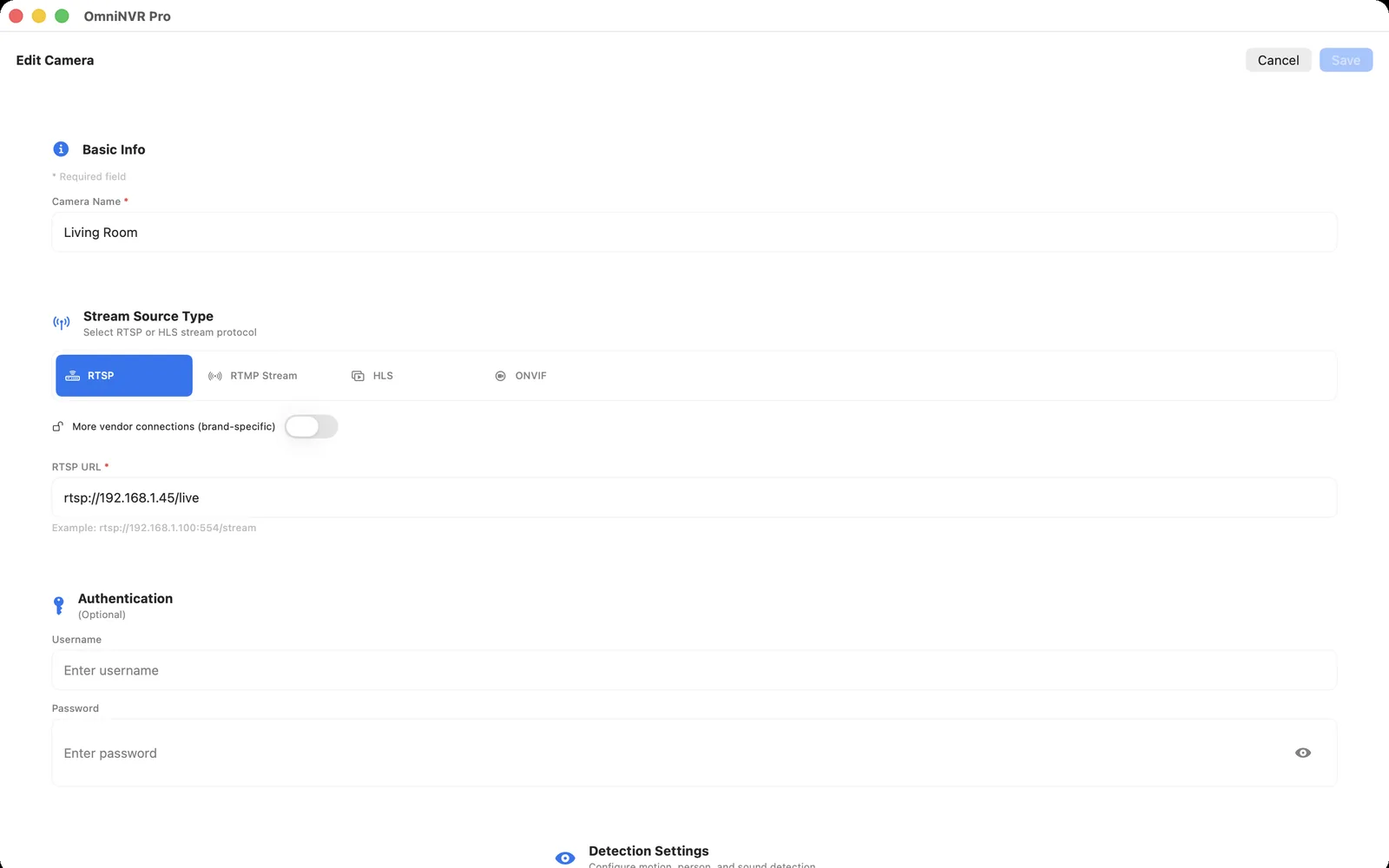
A typical camera address begins with rtsp:// or rtsps://, followed by a host, optional port, and vendor-specific path. Port 554 is the RTSP scheme default when the URL omits a port; the RTSP port guide explains alternate ports, TCP/UDP media behavior, and safe testing. Do not publish a real URL containing credentials. In OmniNVR, enter credentials in the protected fields when possible so they can be stored in Keychain instead of copied through notes or screenshots.
Camera vendors use different paths for channels and stream quality. Verify the exact format in the camera documentation or ONVIF media profile instead of guessing from another model.
Choose transport deliberately
UDP can minimize latency on a clean local network, while RTSP interleaving over TCP may traverse restrictive network paths more predictably. TCP also introduces head-of-line blocking when packets are lost. There is no universally best choice: use the camera and application defaults first, then test the alternative if you see stalls, packet loss, or firewall problems.
For a recorder, consistency is usually more important than shaving the last fraction of a second from latency.
Validate before enabling 24/7 recording
- Open live video for several minutes.
- Confirm audio only if you need and are authorized to record it.
- Create a short recording and play it from the timeline.
- Disconnect and reconnect the network to test recovery.
- Restart the app and confirm recording resumes.
Repeat the test with the exact stream role planned for continuous recording. A main stream that works in a live view does not prove that a lower-quality sub stream has valid timestamps or audio.
Frequently asked questions
What port does RTSP use?
Port 554 is the default for an rtsp URI when the port is omitted, but cameras can be configured differently. Confirm the current device setting and full stream URI.
Should I use RTSP or RTSPS?
Use RTSPS when both camera and client implement it correctly and certificate handling is understood. It protects the RTSP connection with TLS, but compatibility and deployment details vary by device.
Why does live view work but recording fail?
Recording exercises timestamps, muxing, file permissions, and sustained writes in addition to decoding. Test storage access, stream timestamps, codec support, and the selected recording stream.
Sources and further reading
Record locally on the Apple device that fits the job.
Mac, iPhone, iPad, and Apple TV all support local recording. Recording modes and storage options can differ by platform and app version.