
ONVIF
What Is ONVIF and How Does It Work with an NVR?
ONVIF is the open industry standard that lets IP cameras, NVRs, and video software interoperate. Learn its history, profiles, conformance rules, and limits.
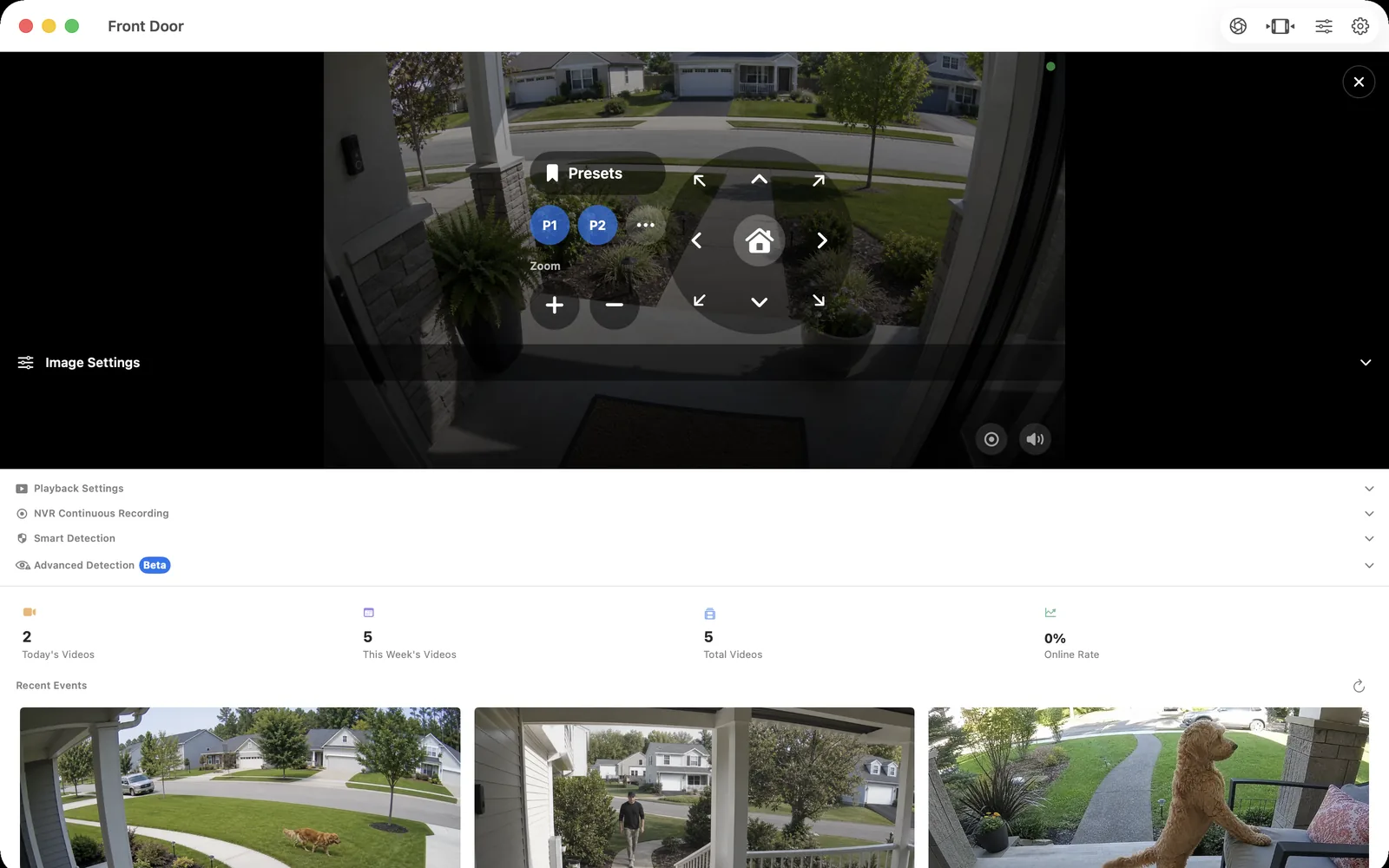
Where ONVIF came from and what problem it solves
In May 2008, Axis Communications, Bosch Security Systems, and Sony announced a global open forum to standardize the network interface of IP video products, and ONVIF was incorporated as a non-profit later that year. Before the standard, every camera brand exposed its own configuration and streaming interfaces, so recording software needed a separate driver for each manufacturer. ONVIF replaced much of that per-vendor work with common, testable interfaces, and the organization has since grown to hundreds of member companies and thousands of registered conformant products.
ONVIF specifications describe web-service interfaces for device discovery, device information, media configuration, PTZ control, events, and related physical-security functions. ONVIF is not a video codec and not a media transport: the standard describes and configures the camera, while the actual audio and video commonly travel over an RTSP-controlled session.
ONVIF profiles at a glance
| Profile | Scope | Typical use in a video system |
|---|---|---|
| Profile S | Video streaming and configuration | Basic live video from cameras and encoders; deprecation is in process, with conformance submissions ending March 31, 2027 |
| Profile T | Advanced video streaming | H.264 and H.265 streaming, imaging settings, metadata, and events such as motion and tampering detection |
| Profile G | Recording and storage | Configuration, search, playback, and retrieval of video stored on a device or attached storage |
| Profile M | Metadata and analytics | Standardized analytics events and object-classification metadata for smart applications |
| Profiles A, C, D | Access control | Doors, credentials, schedules, and access rules rather than video |
A device can support more than one profile, and a client can only rely on functions that both sides implement for the same profile. The profile list evolves: Profile Q was deprecated on April 1, 2022, Profile S is being phased out in favor of Profile T for new streaming products, and new profiles and add-ons continue to appear. Check the current list at onvif.org before basing a purchase on a specific profile.
What ONVIF does in an NVR workflow—and what RTSP does
In a typical recorder workflow, ONVIF handles the metadata around the video. Discovery uses WS-Discovery probes to the IPv4 multicast address 239.255.255.250 on port 3702 to find devices on the local network. The NVR then authenticates, reads device information, enumerates media profiles, requests a stream URI for the profile it wants, and can subscribe to events or send PTZ commands where the camera supports them.
RTSP takes over from there: it sets up and controls the real-time media session that carries the actual audio and video. That is why the common answer to “ONVIF vs RTSP” is that they are complementary rather than competing. ONVIF finds and describes the camera; RTSP delivers the stream. A camera can expose RTSP without ONVIF, and an NVR such as OmniNVR can use ONVIF discovery when it is available or accept a direct RTSP URL when it is not.
“ONVIF conformant” vs “ONVIF compatible”
These phrases are not equivalent. A product is ONVIF conformant only when its manufacturer is an ONVIF member, the product has passed the official test tools for a declared profile, and the result is registered in the ONVIF conformant-products database. ONVIF itself states that only registered products with conformance to a profile should be considered ONVIF conformant.
“ONVIF compatible,” “supports ONVIF,” or a logo on a listing is a marketing claim that no one has verified. Before buying, search the official database at onvif.org for the exact manufacturer and model, and note which profiles the registration covers. A camera registered only for Profile S, for example, makes no promise about recording search under Profile G or analytics metadata under Profile M.
Limitations: what the logo does not guarantee
Conformance is scoped to a profile, so even a genuinely conformant camera guarantees only the functions that profile covers—and real-world behavior still varies by model, region, and firmware. Discovery can be blocked by guest Wi-Fi, VLANs, or VPNs even when the camera itself is fine, PTZ can fail while video works, and many battery-powered or cloud-first consumer cameras omit ONVIF entirely. Treat discovery, authentication, streaming, recording, PTZ, and events as separate stages and test each one you plan to use.
In practice this means verifying the workflow end to end. Every OmniNVR platform can record locally, but recording modes, storage options, discovery, controls, and review tools can differ between Mac, iPhone, iPad, and Apple TV. A short test on the exact released platform build is still the only reliable proof that a specific camera, profile, and firmware combination works.
Frequently asked questions
What does ONVIF stand for?
ONVIF originally stood for Open Network Video Interface Forum, the industry alliance announced in 2008 by Axis Communications, Bosch Security Systems, and Sony. The organization now uses ONVIF as its name and trademark for the standard itself.
What is ONVIF Profile S?
Profile S covers basic video streaming and configuration for IP cameras, encoders, and clients. ONVIF lists its deprecation as in process, with product conformance submissions ending March 31, 2027, and Profile T as the more capable streaming profile for newer products.
Is ONVIF better than RTSP?
Neither replaces the other. ONVIF standardizes discovery, configuration, PTZ, and events, while RTSP controls the media session that carries the video, and many NVR connections use both together.
How do I know if my camera is really ONVIF conformant?
Search the official conformant-products database at onvif.org for the exact manufacturer and model. Only registered products that passed conformance testing for a declared profile are conformant; unverified “ONVIF compatible” claims are marketing.
Does an ONVIF camera work with any NVR?
Not automatically. Camera and client must share a profile, the network must allow discovery or direct connection, and features such as PTZ or events can still vary by firmware, so test the specific combination before relying on it.
Sources and further reading
Record locally on the Apple device that fits the job.
Mac, iPhone, iPad, and Apple TV all support local recording. Recording modes and storage options can differ by platform and app version.