
NVR basics
Free RTSP Test Stream URLs and How to Create Your Own
Find a working RTSP test stream in 2026: which public URLs still exist, plus exact MediaMTX and ffmpeg commands to create your own local test stream.
Why a test stream matters for NVR setup
A test stream separates the recorder from the camera when something fails. If an NVR can play and record a known-good stream, the application, decoder, storage, and network stack are working, and a failing camera connection can be blamed on the camera side: its URL, credentials, transport, or firmware. Without that baseline, every failure looks the same.
Test streams are also useful before hardware arrives—to evaluate an NVR app, rehearse storage and retention settings, or demonstrate a live wall—and after an upgrade, to confirm the recording pipeline still works without touching production cameras. When the real camera is available, use the separate Mac RTSP camera acceptance test for authentication, stability, reconnect, and recording.
Public RTSP test streams in 2026: what is actually alive
Public test endpoints are the least stable part of any tutorial, and most lists circulating online are stale. As of this writing: Wowza maintains an official RTSP test page that publishes a current test address, but the address itself changes over time, so copy it from the page rather than from a blog. The long-cited wowzaec2demo.streamlock.net Big Buck Bunny address no longer appears in Wowza's documentation and should be treated as retired. The once-popular rtsp.stream service now redirects to OctoStream, a signup-based streaming product rather than a free public endpoint list.
Treat any public RTSP URL as temporary. If a test URL fails, assume the endpoint is gone before assuming your NVR is broken—which is exactly the ambiguity a local test stream eliminates.
Create your own RTSP test stream with MediaMTX and ffmpeg
MediaMTX is a free, open-source, zero-dependency media server whose RTSP server listens on port 8554 by default. Install it (for example with Homebrew on macOS, or the release binary from GitHub) along with ffmpeg, then:
- Run
mediamtxin one terminal. It now accepts RTSP publishers and readers atrtsp://localhost:8554. - In a second terminal, publish any H.264 video file on a loop:
ffmpeg -re -stream_loop -1 -i sample.mp4 -c copy -f rtsp rtsp://localhost:8554/test
The -re flag paces the file at its native frame rate so it behaves like a live source, -stream_loop -1 repeats it indefinitely, and -c copy sends the video without re-encoding. If the sample file is not H.264 or H.265, replace -c copy with -c:v libx264. Other devices on the network can now open rtsp://YOUR_COMPUTER_IP:8554/test.
Validate with VLC or ffplay, then in the NVR
Confirm the stream plays in a generic client first: ffplay rtsp://localhost:8554/test, or VLC via Media and then Open Network Stream. If a player shows video, the server and stream are healthy and any remaining problem is on the recorder side.
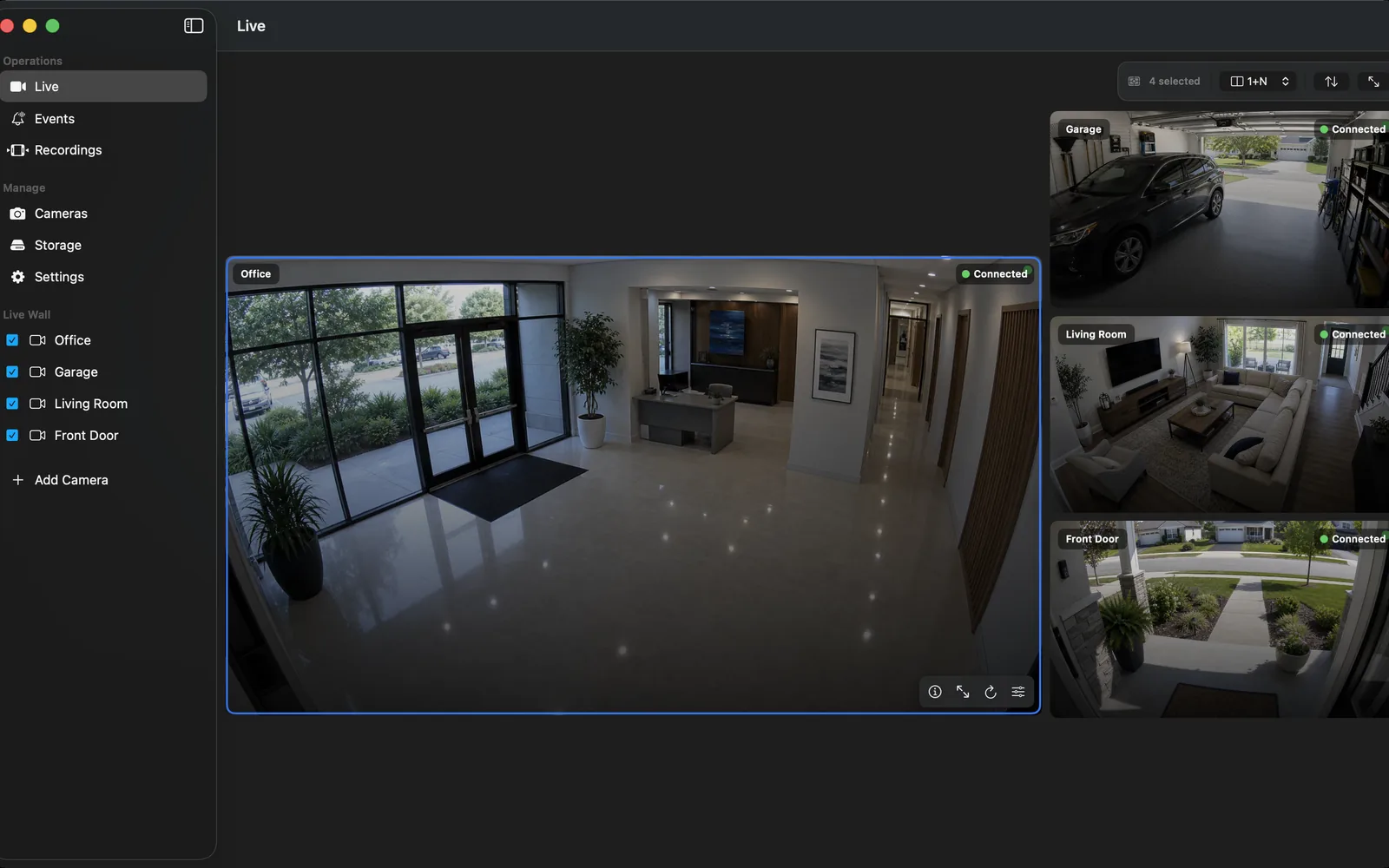
Then add the URL to OmniNVR on the Apple device that will record it, using a LAN address that device can reach, and exercise the supported pipeline: live view for several minutes, a short recording, playback, and a reconnect after stopping and restarting the ffmpeg publisher. A recorder that passes these steps with a test stream is configured correctly; camera-specific failures can then be diagnosed as camera problems.
Spare phones, old cameras, and the problem with public camera lists
A spare phone can also serve as a live test source: several iOS and Android apps expose the phone's camera as a local RTSP server, which adds real-camera behavior—motion, changing light, Wi-Fi jitter—that a looping file cannot provide. An older RTSP or ONVIF camera kept on the bench serves the same purpose more permanently. In both cases, treat them as test tools and keep them off the public internet.
Avoid the widely shared lists of open public cameras. Many aggregate private cameras left exposed through default passwords or misconfiguration, and connecting to a camera you are not authorized to use may be illegal in your jurisdiction regardless of how easy it is. Those feeds are also unstable and unverifiable. For testing, a stream you control is safer, legal, and more useful.
Frequently asked questions
Is there a free public RTSP stream URL for testing in 2026?
Wowza's official RTSP test page currently publishes a working test address, but the URL rotates, so copy it from the page directly. Most other public RTSP URLs found in older lists are dead. A local MediaMTX stream is the dependable alternative.
What happened to rtsp.stream?
The rtsp.stream site now redirects to OctoStream, a signup-based streaming service, rather than offering the free public test endpoints it was known for. Guides that cite it are outdated.
How do I create my own RTSP test stream?
Run the MediaMTX server, then publish a looping video file to it with ffmpeg: ffmpeg -re -stream_loop -1 -i sample.mp4 -c copy -f rtsp rtsp://localhost:8554/test. Any player or NVR on the network can then open that URL.
How do I test an RTSP stream with VLC?
Open VLC, choose Media and then Open Network Stream, paste the rtsp:// URL, and click Play. If credentials are required, VLC prompts for them. Successful playback proves the URL, port, and codec are usable.
Is it legal to use public camera lists as test streams?
Connecting to a camera you are not authorized to access may violate computer-access laws even if it is unsecured, and many listed feeds are private cameras exposed by mistake. Use streams you control or vendor-published test endpoints instead.
Sources and further reading
Record locally on the Apple device that fits the job.
Mac, iPhone, iPad, and Apple TV all support local recording. Recording modes and storage options can differ by platform and app version.