
RTSP
How to Find an IP Camera RTSP URL for Your NVR
Find the correct RTSP URL for an IP camera through official model documentation or ONVIF media profiles, then identify main and sub streams without exposing credentials.
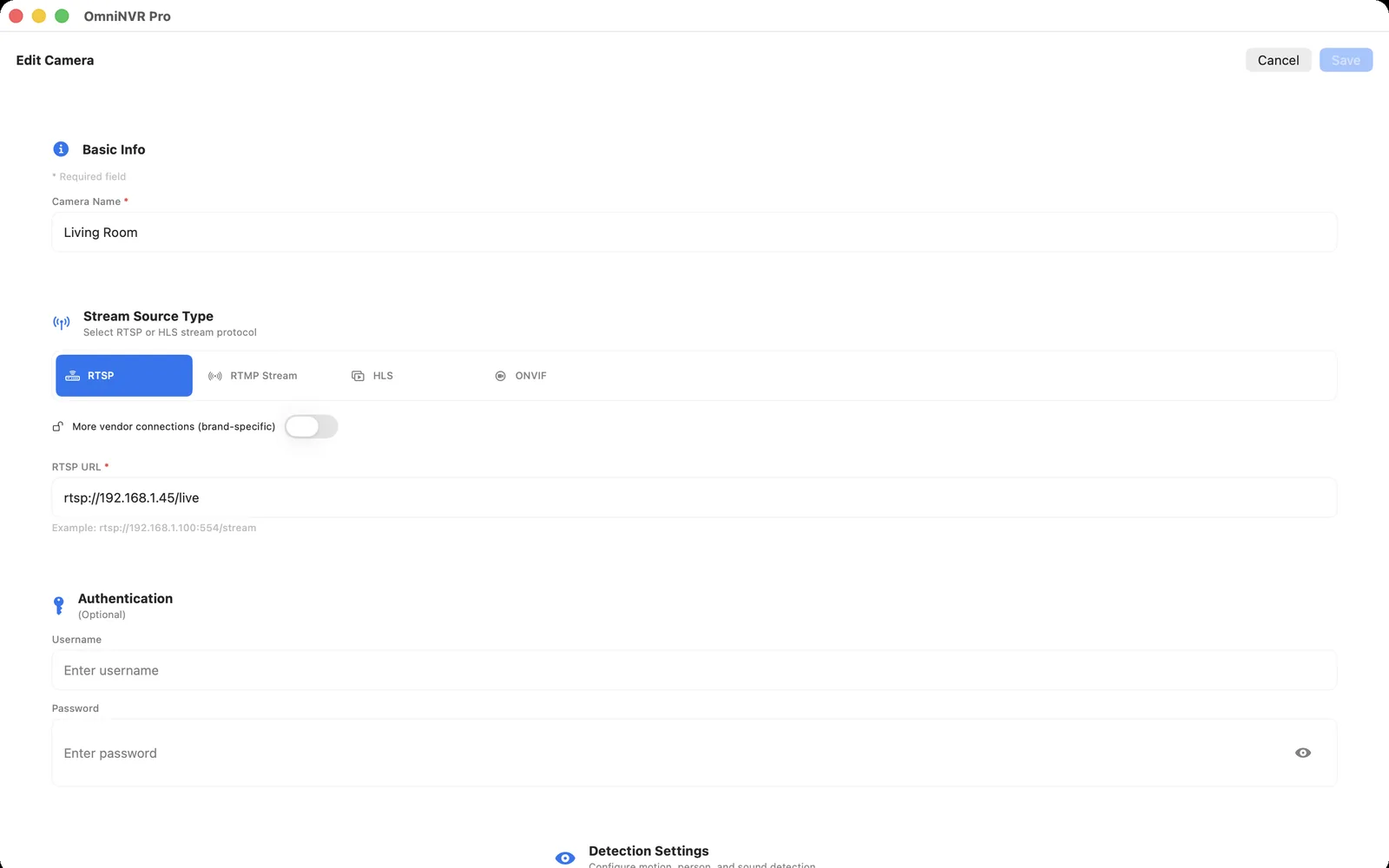
Record the exact model and local address
Read the complete model and hardware identifier from the camera label or device information screen. Confirm its current IP address through the router, a reserved DHCP lease, or the vendor's local setup tool. Do not assume a printed default address remains active after installation.
Check that the camera explicitly supports a local RTSP or ONVIF service. A cloud-app preview, microSD recording, or vendor-specific NAS option does not by itself prove that a standards-based RTSP URL exists.
Use the manufacturer's documented path first
Search the official manual or support page for the exact model and region. Look for “RTSP,” “stream URL,” “third-party NVR,” “main stream,” “sub stream,” and “channel.” Some cameras require enabling a local protocol and creating a separate camera account before the URL works.
The generic anatomy is rtsp://camera-host:port/vendor-specific-path. Use the RTSP URL list as a brand-format reference, not as a substitute for exact-model documentation. Port 554 is the default when an RTSP URI omits the port, but cameras can be configured differently. Keep the username and password in the NVR's protected credential fields instead of publishing them inside the URL.
Ask ONVIF for media profiles and stream URIs
When the camera exposes ONVIF media services, an authenticated client can enumerate profiles and request a stream URI. This is often safer than guessing because the camera returns the path attached to each current profile. Match the result to resolution, codec, and the intended main or sub-stream role.
Discovery and media access are separate stages. If discovery finds a device but no URI can be opened, check the camera-local account, time synchronization, profile configuration, and whether the NVR can reach the returned host and port.
Identify main, sub, and recorder channels
Open each documented profile and record its codec, resolution, frame rate, and bitrate. The main stream usually carries more detail; the sub stream is often a better fit for a multi-camera wall or continuous baseline recording. Names are vendor conventions, so verify the media instead of relying on labels alone.
A hardware NVR or multi-sensor camera may expose channel numbers in the path. Confirm whether numbering starts at zero or one and whether the final digits select the camera, lens, or stream role. Use the vendor's current channel formula.
Test the URL without leaking it
- Store credentials in protected fields and keep them out of shell history, tickets, screenshots, and analytics.
- Test the exact URL for several minutes and inspect the advertised media tracks.
- Compare TCP and UDP transport only when the application and camera support both.
- Make a new short NVR recording and play it from the timeline.
- Restart the camera once and confirm that the same URL reconnects.
Do not publish public-camera URLs as disposable test fixtures. They are unstable, may expose private footage, and do not prove that your own camera or NVR path works.
Frequently asked questions
Is every IP camera RTSP URL the same?
No. The scheme and host syntax are standardized, but the path, channel numbering, enablement, and authentication are model- and firmware-specific.
Can ONVIF find the RTSP URL automatically?
An authenticated ONVIF client can request stream URIs for exposed media profiles. The resulting media still needs compatible RTSP transport, codec, credentials, and network reachability.
Should I include the password in the RTSP URL?
Prefer separate protected credential fields. URLs can leak through logs, shell history, screenshots, browser history, and shared notes.
Sources and further reading
Record locally on the Apple device that fits the job.
Mac, iPhone, iPad, and Apple TV all support local recording. Recording modes and storage options can differ by platform and app version.