
NVR comparison
Best NVR Software for Mac in 2026: 10 Options Compared
Compare the best NVR software for Mac in 2026, including OmniNVR, SecuritySpy, Agent DVR, Scrypted, Blue Iris, Frigate, and other local recording options.
Fact-checked against official sources on August 1, 2026. OmniNVR platform roles and storefront availability are tracked on the platform facts page. Features, system requirements, and prices may change. Product names and trademarks belong to their respective owners; OmniNVR and TardisLabs are not affiliated with the compared vendors.
The short answer
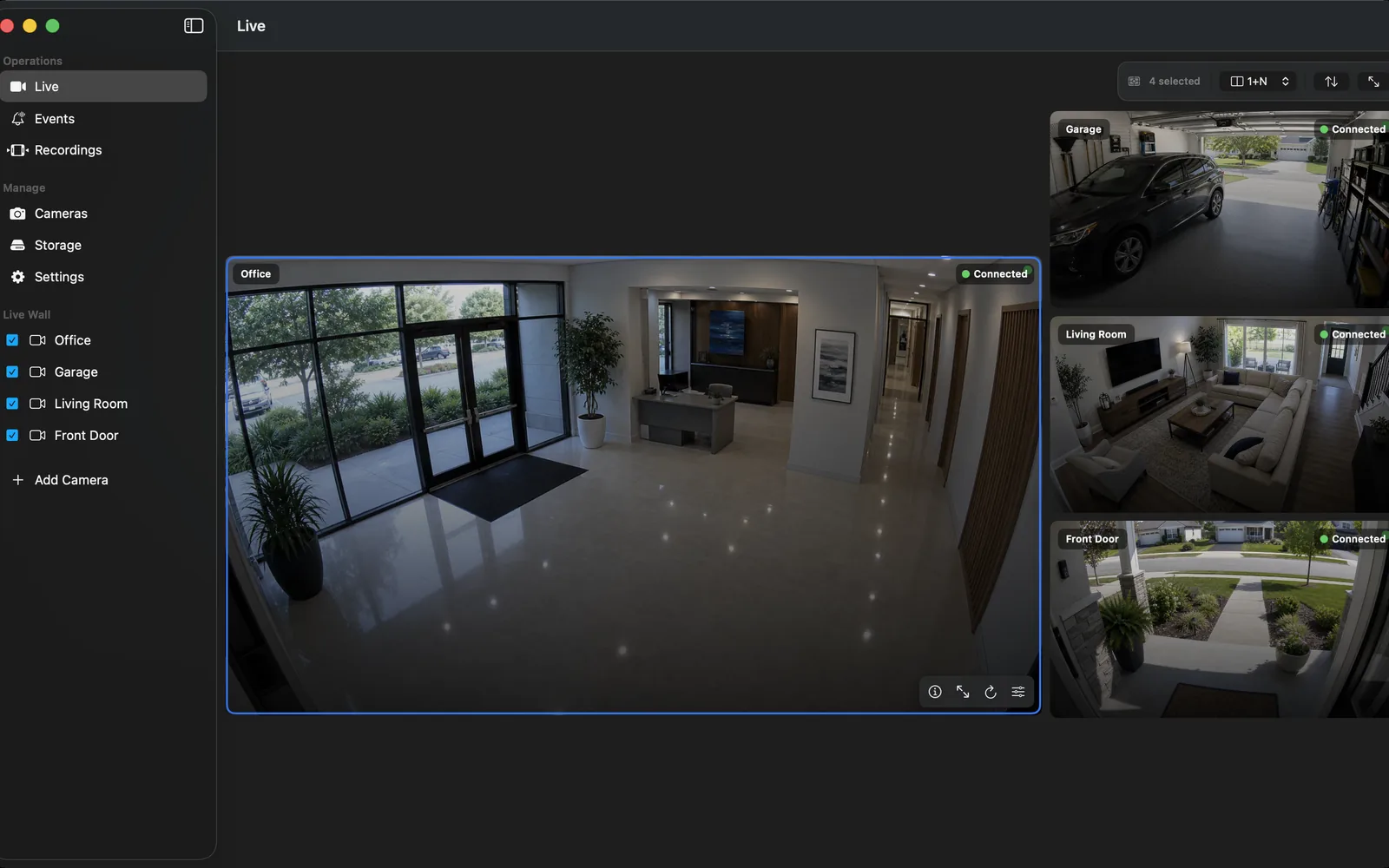
Choose OmniNVR when you want a focused, local-first recorder on Mac, iPhone, iPad, or Apple TV without building a separate Windows or Linux server stack. All four device families can record; select the device by its released recording modes, storage options, screen, and background behavior. Choose Blue Iris for a highly configurable Windows recorder, SecuritySpy for a mature professional Mac NVR, and Agent DVR for a cross-platform browser-based server.
Choose Frigate when Home Assistant and local object detection are the center of the system, Scrypted NVR for an advanced smart-home server and AI search workflow, or Synology Surveillance Station when a Synology NAS already owns the storage. The open-source NVR comparison covers Frigate, ZoneMinder, Shinobi, and the licensing boundary around Scrypted NVR; Nx Witness targets professional multi-server and multi-site VMS deployments.
Best NVR software for Mac: the shortlist
For a native Apple experience, compare OmniNVR's Mac NVR workflow with SecuritySpy, a long-established Mac specialist. Agent DVR is a server-oriented cross-platform option, while Scrypted NVR suits users who also want a broader smart-home and plugin platform.
| Mac option | Architecture | Licensing and fit |
|---|---|---|
| OmniNVR | Native apps on supported Apple platforms | App Store; focused local recording |
| SecuritySpy | Native Mac server and app | Paid by camera count; professional Mac NVR |
| Agent DVR | Background server with browser interface | Cross-platform; local private use and paid services |
| Scrypted NVR | Scrypted server, Desktop App, and NVR plugin | Paid NVR subscription; smart-home and AI depth |
Blue Iris remains important in an overall NVR software comparison, but it requires Windows. Frigate is commonly deployed on Linux, Docker, or Home Assistant, and Synology Surveillance Station requires compatible Synology hardware. If the recorder must run on a Mac, eliminate host-incompatible choices before comparing secondary features. New to the category? Read what software NVR means before comparing features.
NVR software comparison table
| Software | Host | Deployment | AI / events | Licensing | Best fit |
|---|---|---|---|---|---|
| OmniNVR | Mac, iPhone, iPad, Apple TV | Native app on each platform | Local recording on each platform; modes vary by device | App Store | Apple homes and small sites |
| Blue Iris 6 | Windows | Always-on Windows service | Built-in AI plus rules and integrations | Paid license + maintenance options | Windows power users |
| Agent DVR | Windows, macOS, Linux, Docker | Background server + browser | Motion, tracking, object and third-party AI | Local private use free; paid remote/commercial services | Cross-platform self-hosting |
| SecuritySpy 6 | Mac | Native Mac server/app | AI motion, events, scripting | Paid by camera count | Professional Mac NVR |
| Frigate | Linux/Docker/HA | Container or Home Assistant | Local object detection is central | MIT core; optional Frigate+ | Home Assistant and AI |
| Scrypted NVR | Mac, Windows, Linux, Proxmox | Server + plugins | People, vehicles, faces, plates, AI search | Subscription + camera licenses | Advanced smart homes |
| Synology SS | Synology NAS/DVA | NAS package | Camera events; advanced DVA analytics on select hardware | Included licenses + device licenses | Existing NAS owners |
| Shinobi | Linux primarily | Node, FFmpeg, MariaDB | Motion plus detector plugins | Personal/free terms and paid Pro plans | Custom self-hosted VMS |
| ZoneMinder | Linux | Apache, database, services | Zone motion; third-party ML hooks | GPL-2.0 | Linux open-source users |
| Nx Witness | Windows/Linux servers | Multi-server VMS | Camera/plugin analytics and event rules | Professional recording licenses | Enterprise and multi-site |
Start with the host, not the feature list
Platform choice removes more candidates than almost any checkbox. A Windows machine points toward Blue Iris; a dedicated Mac can run SecuritySpy; a Docker or Home Assistant host favors Frigate; a Synology NAS makes Surveillance Station a natural shortlist item. Buying and operating a new server only to gain one feature can cost more time and energy than choosing software native to hardware you already own.
OmniNVR can record locally on Mac, iPhone, iPad, and Apple TV, so the choice can follow the screen, storage, and operating pattern already present in the household or small site. Exact recording modes and companion features still differ by released platform build.
Compare the operating burden
Look beyond installation. An NVR must survive camera password changes, IP changes, storage pressure, application updates, host restarts, and network interruptions. Container products add image updates, volume mappings, hardware passthrough, proxy configuration, and log monitoring. NAS products add DSM and device-license management. Enterprise VMS adds roles, certificates, server health, and failover.
A simpler product has fewer integration points, but it may also have fewer enterprise controls. Decide which failure modes you are prepared to own. For a handful of cameras, a native app can be the rational choice; for dozens of sites, central administration is worth the overhead.
A fair recommendation by use case
- Apple home, studio, or shop: start with OmniNVR; compare SecuritySpy when you need a deeper Mac workstation product.
- Windows surveillance workstation: Blue Iris is the specialist option.
- Cross-platform browser server: Agent DVR.
- Home Assistant with advanced local AI: Frigate.
- Smart-home bridge plus advanced search: Scrypted NVR.
- Existing Synology storage: Surveillance Station.
- Linux open-source operation: Frigate or ZoneMinder; evaluate Shinobi's current license.
- Multi-site enterprise: Nx Witness or another professional VMS.
How we compared these products
This comparison uses current official product pages, manuals, documentation, and licensing pages verified on August 1, 2026. Prices, bundles, supported operating systems, and AI features can change. Test the exact camera, codec, retention policy, and remote-access path before buying hardware or licenses.
Feature count is not a score. The recommendation favors fit: the smallest system that meets the recording and recovery requirements is usually easier to keep reliable.
Frequently asked questions
What is the best NVR software for Mac?
OmniNVR is a focused Apple-native choice; SecuritySpy is a mature specialist Mac NVR; Agent DVR and Scrypted also run on Mac with server-oriented architectures. Choose by camera count, desired setup depth, and licensing.
What is the best free NVR software?
Frigate and ZoneMinder have open-source cores, while Agent DVR permits private local use without a paid remote subscription. Free software still requires suitable hardware, storage, updates, and administration.
Do I need a dedicated NVR computer?
Not always. OmniNVR can record locally on Mac, iPhone, iPad, and Apple TV, although storage, background behavior, and recording modes differ by platform. Other products may require an always-on Windows, Linux, NAS, or server host.
Sources and further reading
- OmniNVR platform facts and App Store availability
- Blue Iris — official features, requirements, and licensing
- Agent DVR — official features and platform overview
- SecuritySpy — official feature overview
- Frigate — official local AI NVR documentation
- Scrypted — official open-source platform overview
- Scrypted NVR — official feature overview
- Scrypted NVR — official installation, trial, and paid-plugin guidance
- Scrypted — official NVR subscription and camera-license billing
- Synology Surveillance Station — official specifications
- Shinobi — official NVR feature overview
- ZoneMinder — official documentation
- Nx Witness — official architecture and deployment overview
Record locally on the Apple device that fits the job.
Mac, iPhone, iPad, and Apple TV all support local recording. Recording modes and storage options can differ by platform and app version.