
NVR comparison
Scrypted NVR Alternative for Mac: OmniNVR vs Scrypted
Is Scrypted NVR free? Compare OmniNVR as a Scrypted alternative for Mac by cost, setup, local recording, AI, camera support, storage, and upkeep.
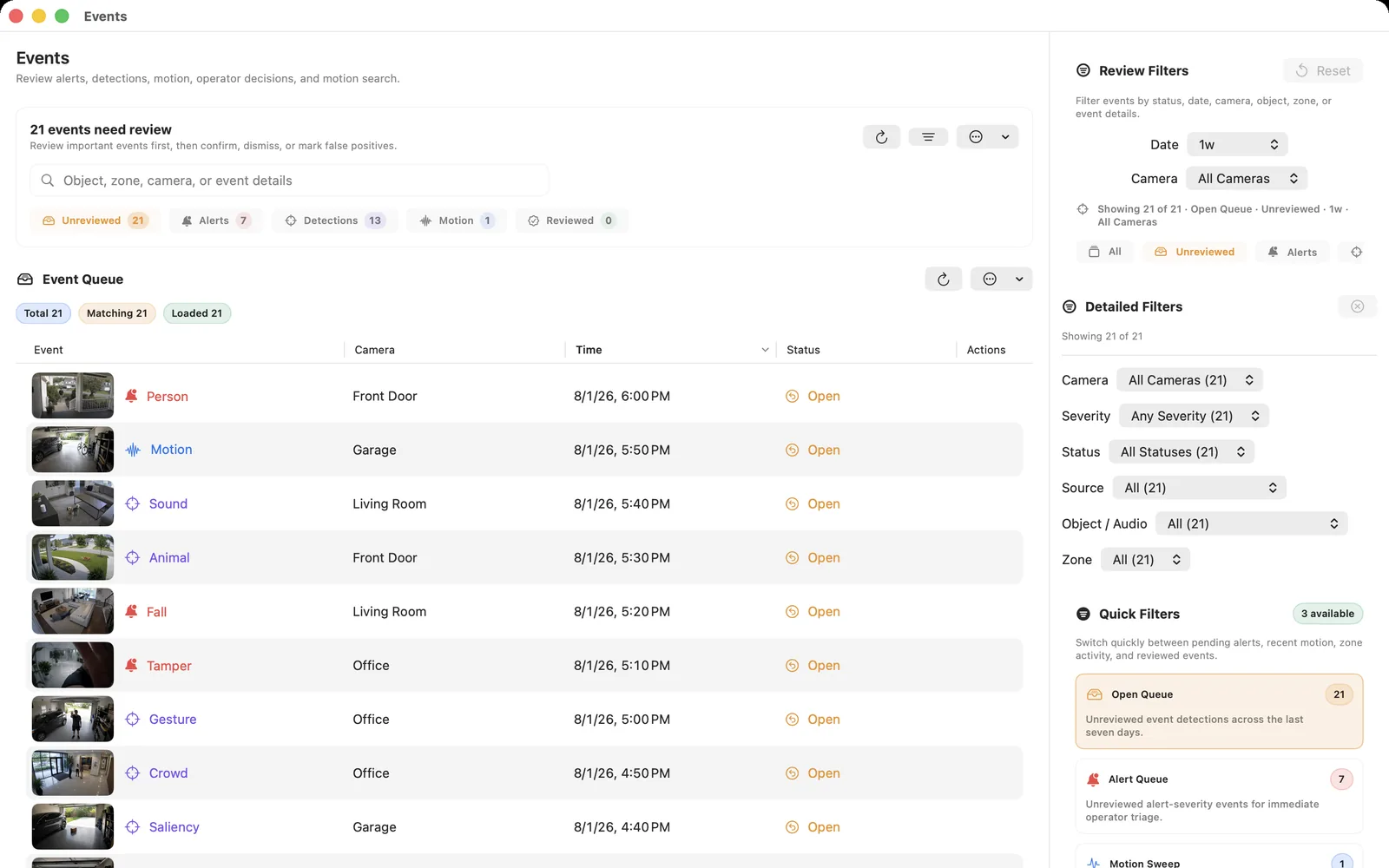
Fact-checked against official sources on August 3, 2026. OmniNVR platform roles and storefront availability are tracked on the platform facts page. Features, system requirements, and prices may change. Product names and trademarks belong to their respective owners; OmniNVR and TardisLabs are not affiliated with the compared vendors.
Quick verdict
Choose OmniNVR if you want to install a native app on Mac, iPhone, iPad, or Apple TV, add supported camera streams, and begin local recording with minimal infrastructure. Choose Scrypted NVR when you want a configurable smart-home server, strong HomeKit/Google/Alexa bridging, advanced detections and search, and are prepared to maintain plugins, storage, and hardware acceleration.
Both products are local-first, and both have Apple-related workflows. The meaningful difference is native app focus versus a server and plugin ecosystem.
Is Scrypted NVR free?
The core Scrypted platform is open source, but Scrypted NVR is a paid plugin. Scrypted's official NVR installation page offers a live demo and free trial; continued NVR use requires a subscription. This distinction matters when comparing “free Scrypted” search results with the 24/7 recording product.
As checked on August 1, 2026, the official billing page listed a US$40 annual base subscription including four camera licenses, with additional licenses shown as US$10 each at checkout. Pricing and terms can change, so verify the current Scrypted billing page before purchase.
Side-by-side comparison
| Dimension | OmniNVR | Scrypted NVR |
|---|---|---|
| Architecture | Native local-recording app on each Apple platform | Scrypted server + paid NVR plugin |
| Recording platforms | Mac, iPhone, iPad, Apple TV | Apple Silicon Mac, Windows, Linux/Docker, and Proxmox |
| Camera policy | Supported RTSP/HLS/ONVIF streams | Officially focuses on local RTSP cameras, commonly ONVIF/H.264 |
| Recording | Continuous/event roles and local timeline | 24/7 local recording and event review |
| AI | On-device motion, person and sound | People, vehicles, animals, packages, faces, plates and AI search |
| Smart home | Apple Home bridge and Apple-focused outputs | HomeKit, Google Home, Alexa and plugin ecosystem |
| Storage | User-selected local/external storage | Official support policy requires a recording drive of at least 1TB and dedicated NVR storage |
| Licensing | App Store distribution | Annual base subscription plus camera licenses |
When OmniNVR is a Scrypted alternative on Mac
Scrypted's documentation asks the operator to choose an installation method, appropriate server, storage layout, plugins, camera rebroadcast mode, acceleration path, and optional cloud access. That makes sense for a platform intended to connect many ecosystems.
OmniNVR is a practical Scrypted alternative when the primary job is local recording on Apple devices rather than running a broader automation server. It narrows the setup to a native app on the chosen Apple platform. Review the Mac NVR software setup, the ONVIF camera workflow, and the broader NVR software comparison before deciding.
Where Scrypted NVR is stronger
Scrypted NVR is the stronger choice for advanced smart-home users who want camera rebroadcasting, extensive ecosystem plugins, rich notifications, face and license-plate recognition, natural-language search, and multiple desktop/mobile/web clients. Its official hardware support spans several accelerator types.
It can also be a better long-term hub when camera video must feed HomeKit, Google Home, Alexa, and other services from one server. OmniNVR should not claim equivalent ecosystem breadth.
Camera and storage caveats
Scrypted's official NVR policy focuses on local RTSP cameras and lists cloud-only, battery, or bridged camera categories that are not formally supported. Its storage guidance favors a dedicated local disk and warns that network storage can add latency and failure points.
OmniNVR compatibility also depends on the camera exposing a usable RTSP, RTSPS, HLS, or ONVIF service. Neither product can turn every battery or cloud camera into a continuous local stream.
Which should you choose?
Choose OmniNVR for a focused native Apple NVR with fewer services to configure. Choose Scrypted NVR for a self-hosted smart-home camera platform with advanced AI and integration depth.
Frequently asked questions
Is Scrypted NVR free?
No. The core Scrypted platform is open source, but Scrypted NVR is a paid plugin with a free trial. Official billing uses a base subscription with included camera licenses and additional camera licensing; verify current terms before purchase.
What is a good Scrypted alternative for Mac?
OmniNVR is a focused Apple-native alternative when local recording on Mac and other Apple devices is the priority. Scrypted remains stronger when smart-home bridging, advanced AI search, and a server plugin ecosystem are central requirements.
Does Scrypted NVR run on a Mac?
Yes. Official guidance supports Apple Silicon Mac deployment through the Desktop App. The broader server and plugin architecture still differs from a focused native NVR app.
Which is better for HomeKit?
Scrypted is especially strong as a multi-platform camera bridge. OmniNVR offers local recording in its native Apple-platform apps. Choose based on whether bridging or a device-native NVR is the primary job.
Sources and further reading
- OmniNVR platform facts and App Store availability
- Scrypted — official open-source platform overview
- Scrypted NVR — official feature overview
- Scrypted NVR — official installation, trial, and paid-plugin guidance
- Scrypted — official NVR subscription and camera-license billing
- Scrypted NVR — official server and hardware guidance
Record locally on the Apple device that fits the job.
Mac, iPhone, iPad, and Apple TV all support local recording. Recording modes and storage options can differ by platform and app version.