
Detection
On-Device Camera Detection: Motion, People, Sound, and NVR Events
Understand how a motion-first on-device detection pipeline can create useful NVR events while keeping camera video local.
Why use a cascade
Running every model on every frame wastes processing and can reduce recording reliability. A cascade starts with a cheap signal such as motion or audio energy, then schedules more expensive analysis for candidate windows. This makes detection a bounded consumer of the media pipeline rather than the owner of it.
The recorder should continue writing even when analysis is delayed or disabled. Evidence capture and classification are related but separate responsibilities.
Turn detections into reviewable events
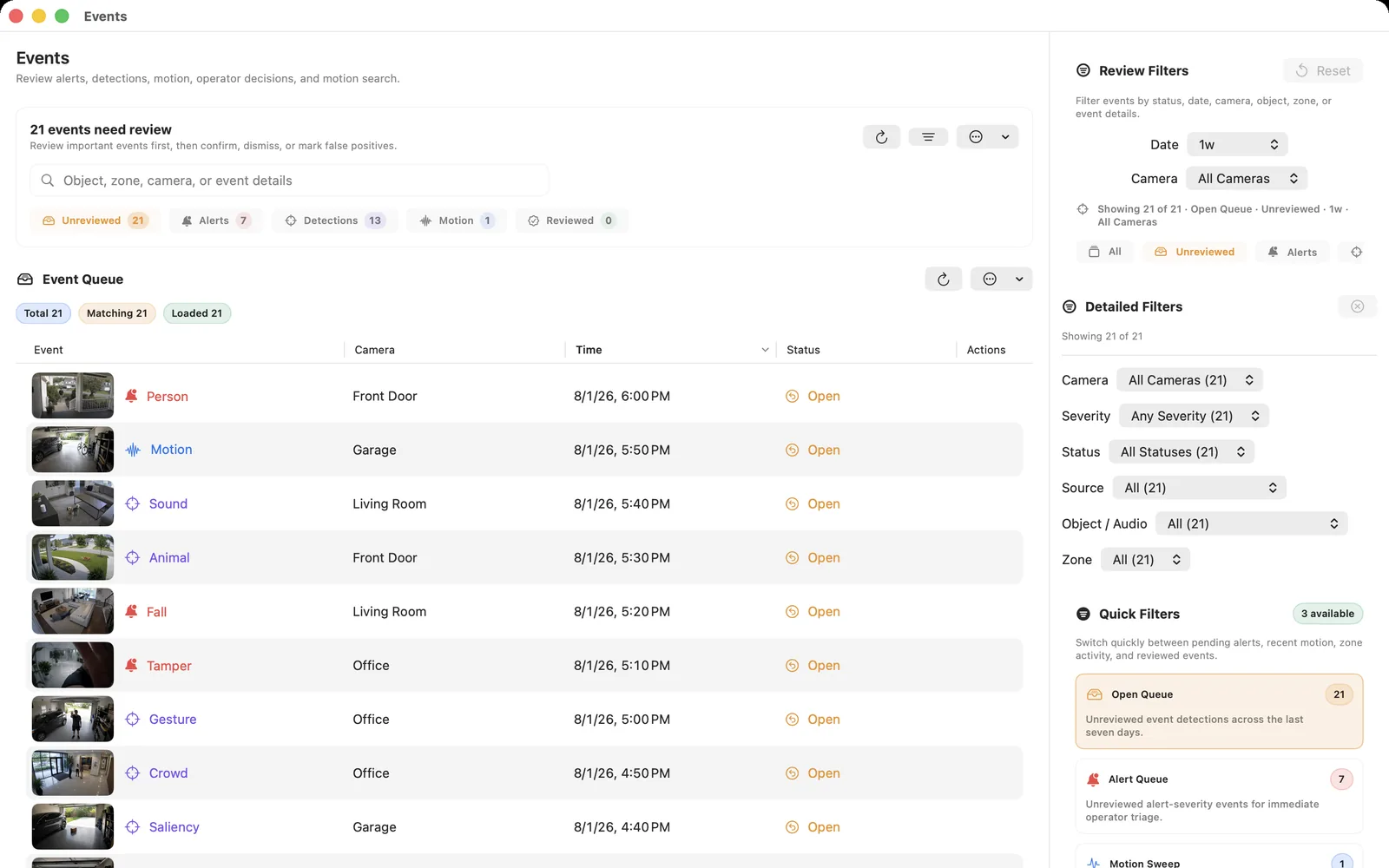
A useful event stores camera identity, normalized time range, type, confidence, zone, and links to the relevant recording segments. The review UI should move from the event to video without requiring users to understand raw model payloads.
Merge repeated detections into one incident window when they describe the same ongoing action. Otherwise a person standing at a door can create dozens of nearly identical alerts.
Control false alerts
Use regions of interest to exclude roads, trees, screens, and other sources of irrelevant motion. Add schedules and do-not-disturb policies where notifications, not recording, should pause. Evaluate false negatives as carefully as false positives; fewer alerts are not automatically better.
Keep a short baseline of continuous recording so users can inspect what happened before a detector fired.
Privacy boundaries
Local analysis keeps raw camera media inside the network and devices you control, but notifications and integrations can still transmit event text, images, or clips. Review each enabled channel separately.
OmniNVR recording is local across its supported Apple platforms. Detection and optional outputs such as notifications, email, webhooks, Apple Home, or live push depend on the released platform build; enable only the outputs that match the site’s privacy requirements.
Frequently asked questions
Does on-device detection require internet access?
The local analysis pipeline does not need cloud inference. Model availability, optional notifications, or third-party integrations may have separate network requirements.
Should detection replace continuous recording?
Not when missing an event would be costly. A hybrid policy keeps a baseline recording and uses detections to mark important moments or trigger higher-quality clips.
What is a motion ROI?
A region of interest limits where motion contributes to detection, helping exclude areas such as trees, roads, or timestamp overlays.
Sources and further reading
Record locally on the Apple device that fits the job.
Mac, iPhone, iPad, and Apple TV all support local recording. Recording modes and storage options can differ by platform and app version.