
Apple NVR planning
Mac IP Camera Recording Software: What to Compare in 2026
Compare Mac IP camera recording software by native host support, RTSP and ONVIF inputs, storage, retention, playback, export, and remote access.
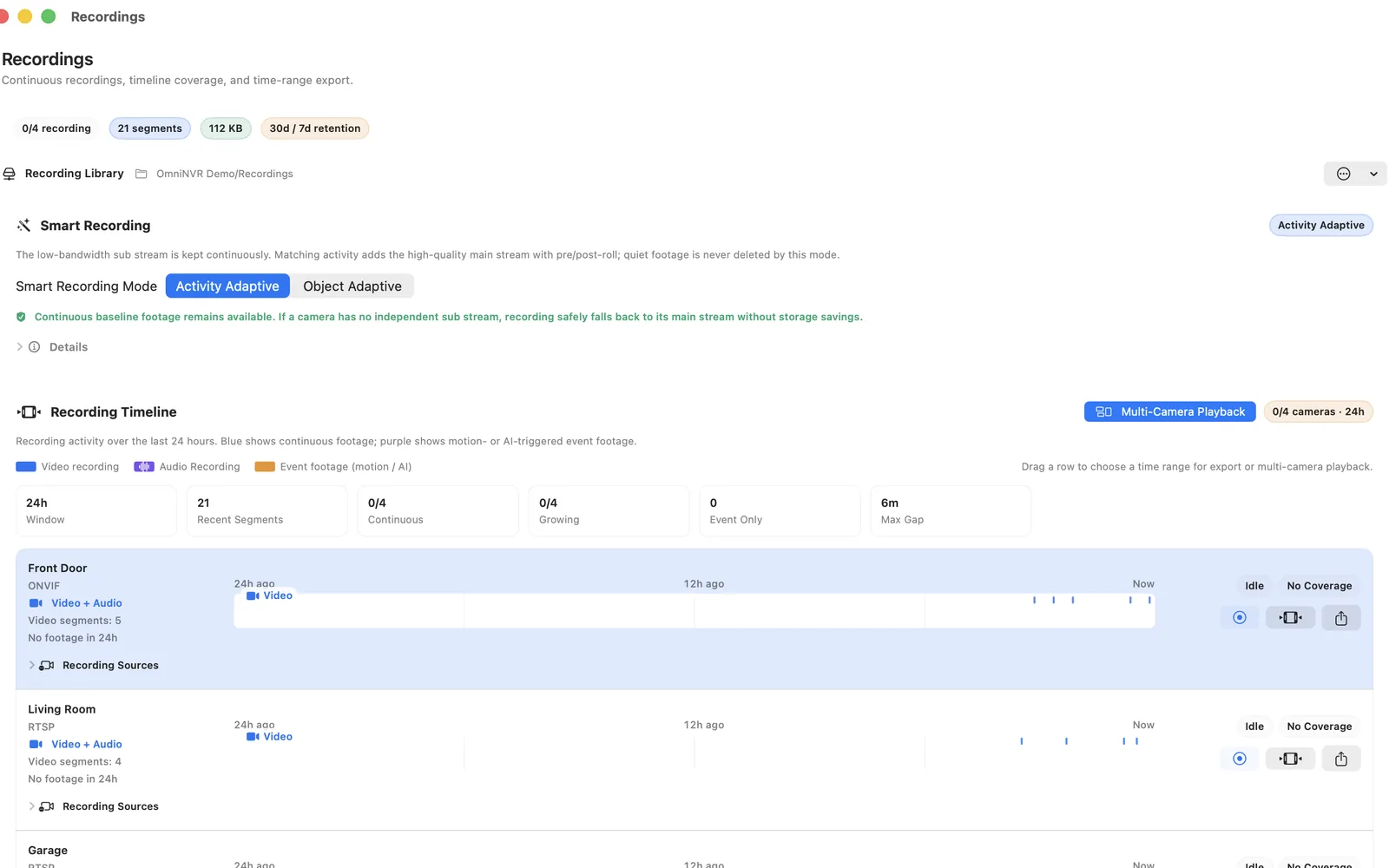
What this Apple device is good at
Mac is well suited to a software NVR for IP cameras. Its practical advantage is using hardware already owned while keeping camera video and storage on a controlled local host.
Use the device's real operating context rather than assuming that every Apple product is an interchangeable recorder. Screen, battery, thermal design, storage, multitasking, networking, and unattended behavior change the right role.
Respect the platform limit
A Mac viewer is not necessarily a recorder. Confirm continuous or event recording, retention cleanup, timeline indexing, export, and restart recovery.
Write down which device owns recording, where the files live, who reviews them, and what happens after sleep, restart, network change, low storage, app update, or device removal. This turns an appealing device demo into an operable NVR plan.
For a fixed installation, reserve power, network, and storage for the recorder. For a mobile installation, decide what should happen when the device leaves the site, switches networks, receives a call, locks, or is needed for another task. An untested convenience device should not silently become the only evidence path.
Check cameras and capacity
Test the exact RTSP, RTSPS, ONVIF, or HLS input documented for the camera and supported by the released app. Confirm codec, authentication, time, main and sub streams, audio, PTZ, and reconnect behavior separately.
Capacity depends on bitrate, live decoding, detection, storage writes, memory, and heat—not only camera count. Add cameras in stages while watching both recording health and the responsiveness of the review interface.
Measure the planned workload rather than extrapolating from one quiet feed. Day-to-night transitions, rain, foliage, crowds, and noisy scenes can raise variable bitrate and detection work. Keep enough headroom for review and export while cameras continue recording.
Where OmniNVR fits
OmniNVR Pro is the focused Apple-platform option; SecuritySpy is a mature Mac surveillance server, while Agent DVR offers a cross-platform web-server design.
The platform facts page is the source of truth for current public roles and requirements. Availability can vary by storefront, and a feature on one platform is not automatically present on another.
Acceptance test
Compare the same camera and stream in each candidate, create recordings through a restart, and time how long it takes to retrieve and export one known event.
Also retrieve a known time, export or preserve it through the released workflow, test storage pressure, and record the app, OS, camera firmware, and stream profile. Repeat after changing any of those components.
Finish with a human handoff. Ask another authorized person to find the same event without verbal coaching, explain what an offline camera looks like, and identify the recorder and storage owner. A system that only its installer understands is not ready for routine use.
Frequently asked questions
Can Mac run NVR software?
Yes, when a supported app, compatible camera stream, storage, power, and network match the intended role. A Mac viewer is not necessarily a recorder. Confirm continuous or event recording, retention cleanup, timeline indexing, export, and restart recovery.
Does every OmniNVR Apple app have the same features?
No. Mac, iPhone, iPad, and Apple TV have separate documented roles. Recording modes, storage options, and review tools can differ by platform and app version.
Do I need ONVIF cameras?
Not necessarily. A compatible direct stream such as RTSP can be enough for recording. ONVIF can simplify discovery, profiles, and controls where both sides support them.
How should I test Mac as an NVR?
Compare the same camera and stream in each candidate, create recordings through a restart, and time how long it takes to retrieve and export one known event.
Sources and further reading
Record locally on the Apple device that fits the job.
Mac, iPhone, iPad, and Apple TV all support local recording. Recording modes and storage options can differ by platform and app version.