
RTSP troubleshooting
RTSP Authentication for IP Cameras: Credentials, Errors and Safe Setup
Fix RTSP authentication failures by verifying the exact camera account, stream URL, protocol settings, and local-network reachability without exposing camera services.
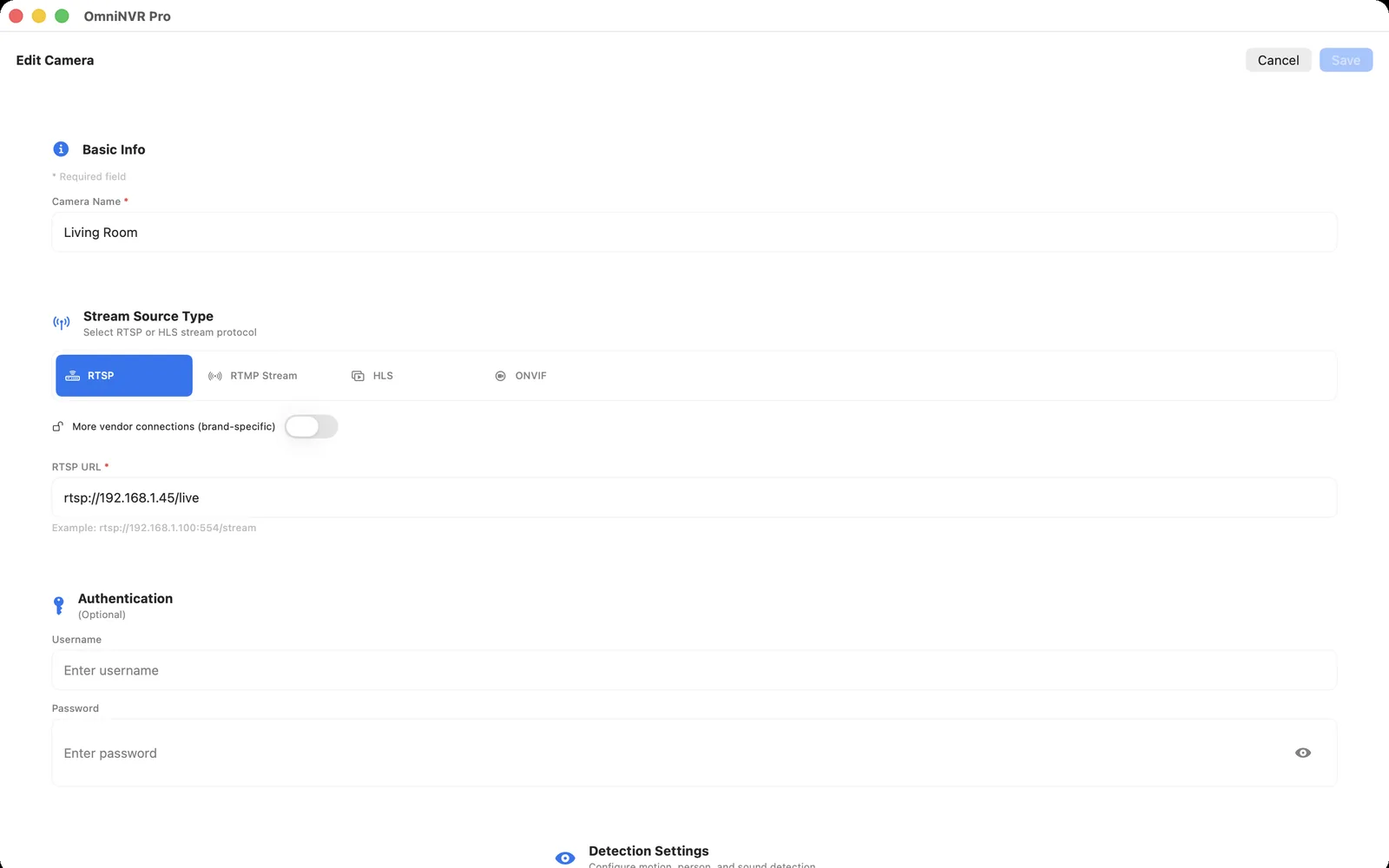
Use a dedicated camera account
Create a separate account for the NVR when the camera supports one. Limit it to the smallest role that can view the required stream, store it in the recorder's credential fields, and keep the owner or administrator account for maintenance only.
Do not use public default-password lists or copy credentials into support screenshots. If you need help, redact usernames, passwords, public addresses, serial numbers, and private stream paths.
Confirm the camera is actually offering RTSP
Sign in through the camera's local management interface or official app and enable the documented RTSP option for that exact model. Some manufacturers require a local-stream toggle; others separate camera accounts from cloud accounts. Verify the stream from a local network before changing NVR settings repeatedly.
RTSP paths are not universal. Copy the path from the camera documentation or the device itself, then enter host, port, path, username, and password in their intended fields. A generic URL pattern may look plausible while addressing the wrong channel or profile.
Read the error as a sequence
- First confirm the NVR can reach the camera address on the local network.
- Then verify the configured RTSP port and the exact stream path.
- Check the dedicated account and password, including any characters that must be URL-encoded if embedded in a URL.
- Confirm the selected profile and codec can be decoded or recorded by the chosen NVR workflow.
- After any change, run a short recording and playback test rather than stopping at a live preview.
Avoid unsafe workarounds
Do not solve an authentication error by exposing RTSP or camera management ports to the public internet, disabling passwords, or reusing an administrator account across every device. These changes increase risk and make later troubleshooting harder.
If a camera supports ONVIF, discovery may help locate advertised profiles and stream URIs. ONVIF does not remove the need for valid credentials; it simply provides a structured way to query supported services.
Know when the issue is not authentication
A 401-style authentication failure differs from a timeout, DNS error, connection refusal, unsupported codec, or a camera that is asleep. Compare the camera's local status, network address, stream setting, and NVR logs or error label. Change one variable at a time and document what was tested.
After success, keep a record of the exact account role and stream profile. That gives you a safe recovery path after a camera reset, firmware update, or NVR replacement.
Frequently asked questions
What does RTSP authentication failed mean?
It usually means the camera rejected the requested stream credentials or the request did not match the enabled stream configuration. Verify the exact local account, password, stream path, port, and RTSP setting.
Can I use my cloud-app password for RTSP?
Often no. Many camera ecosystems use a separate local device account or require RTSP to be enabled first. Follow the documentation for the exact model.
Does ONVIF fix RTSP authentication?
Not by itself. ONVIF can help discovery and profile selection, but the camera still requires valid credentials and a compatible local configuration.
Should I open port 554 to fix RTSP?
No. Keep RTSP private on the local network. Opening it to the internet does not fix an incorrect credential or path and creates unnecessary exposure.
Sources and further reading
Record locally on the Apple device that fits the job.
Mac, iPhone, iPad, and Apple TV all support local recording. Recording modes and storage options can differ by platform and app version.