
Local NVR workflow
Security Camera Footage Export on Mac: A Reliable Workflow
Export security camera footage on Mac with correct time, camera identity, context, playable format, protected originals, secure transfer, and verification.
Define the required outcome
The exported file covers the requested interval, identifies the source and time, opens independently, preserves necessary context, and is shared only with authorized recipients.
Write the owner, cameras, stream roles, recording schedule, retention, storage location, users, review deadline, export method, and acceptable outage. A workflow cannot be tested while those responsibilities are implicit.
Describe a normal event and a failure event in plain language. The normal event proves the recorder creates useful history; the failure event proves the operator can recognize a gap, preserve what remains, and restore the path without changing unrelated settings.
Plan the complete media path
Trace camera power, LAN transport, authentication, RTSP or other media input, optional ONVIF discovery, recorder processing, storage writes, indexing, playback, and export. Each layer can fail independently.
Screen recording a live player can lose original timing, quality, audio, metadata, and context. Re-encoding or messaging apps can further alter the file.
Keep an installation record with camera model, firmware, address reservation, protocol setting, stream profile, codec, bitrate, time source, recorder account, storage destination, and retention. That record is more useful than guessing after a router, drive, or camera replacement.
Protect recording reliability
Use dedicated camera accounts where supported, avoid exposing camera services directly to the public internet, keep time consistent, reserve storage headroom, and make recorder health visible. Add cameras in stages.
Keep detection, notification, and remote access from becoming hidden dependencies for the basic recording path. An alert can fail while useful video continues, and the system should make that distinction clear.
Review health on a schedule instead of waiting for an incident. Check newest playable footage, free-space trend, disconnected cameras, clock drift, failed exports, pending updates, and who still has access. Assign the check to a named person.
Where OmniNVR fits
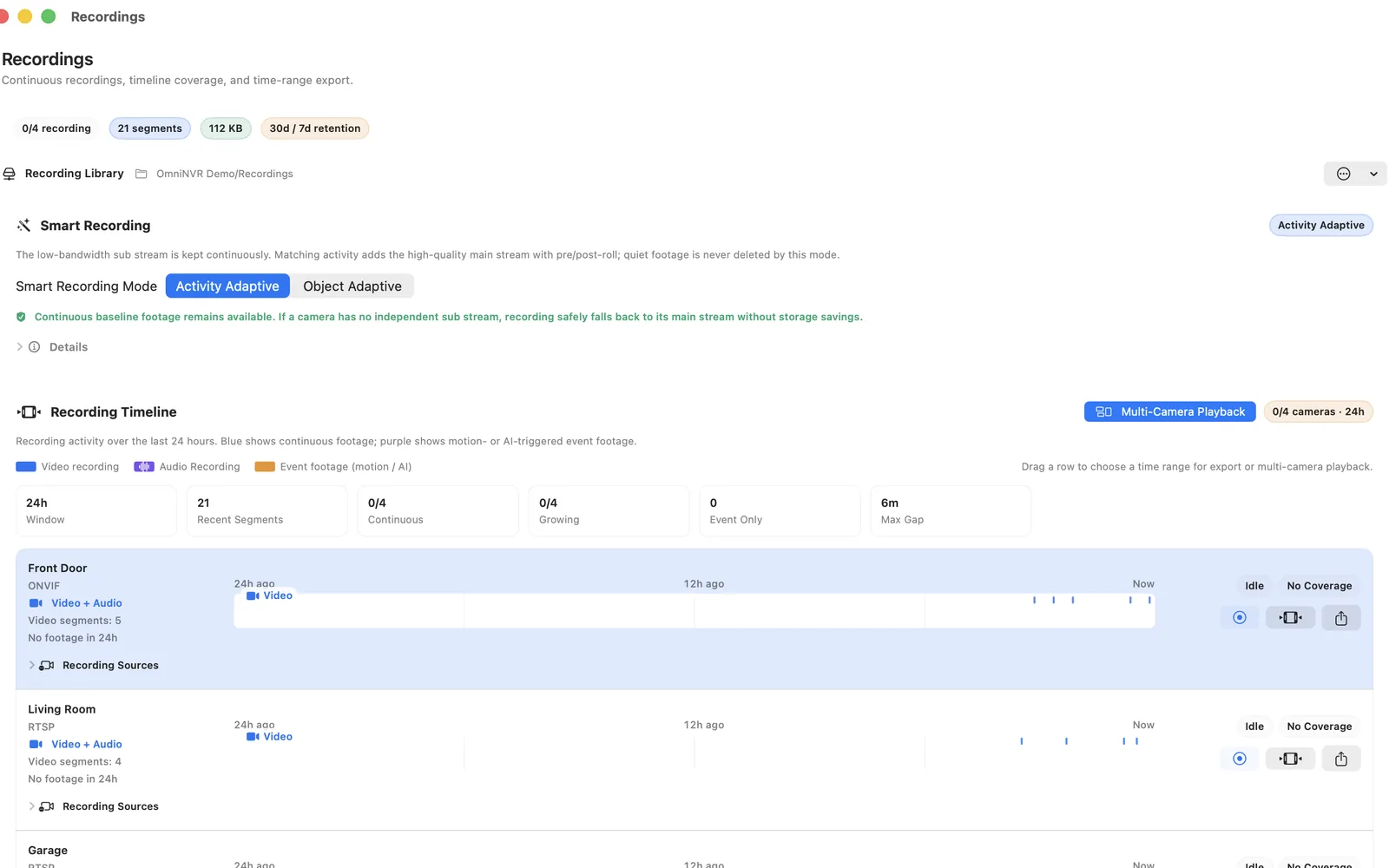
OmniNVR Pro's Mac role includes timeline review and export. Use the released export controls and retain the original recording until the recipient confirms the clip is usable.
Current Apple-platform roles and availability are recorded on the platform facts page. Camera and workflow support still depends on the exact device, stream, codec, firmware, network, storage, app version, and purchase state.
Acceptance test
Export the same known event twice, open it outside the NVR, compare duration and time, hash or otherwise track the final file when chain-of-custody matters, and test secure delivery.
Repeat the test after a camera update, app update, storage change, router replacement, or operating-system upgrade. Preserve the observed settings and a known-good exported clip so later troubleshooting starts from evidence.
Include a negative test: wrong credentials, unavailable storage, blocked network path, or unsupported profile. The app should expose a clear failure instead of presenting a frozen image or stale status as if recording were healthy. Record the recovery time, the exact action that restored service, and whether any footage or event context was lost.
Frequently asked questions
What does good turning recorded Mac NVR footage into a usable incident clip look like?
The exported file covers the requested interval, identifies the source and time, opens independently, preserves necessary context, and is shared only with authorized recipients.
Is live view enough to prove the NVR works?
No. Verify recorded segments, timeline indexing, retention, playback, export, network recovery, host restart, and low-storage behavior.
Can OmniNVR use any IP camera?
No. The exact camera must expose a compatible stream and work with the selected Apple platform, codec, firmware, network, storage, and app version.
What acceptance test should I run?
Export the same known event twice, open it outside the NVR, compare duration and time, hash or otherwise track the final file when chain-of-custody matters, and test secure delivery.
Sources and further reading
Record locally on the Apple device that fits the job.
Mac, iPhone, iPad, and Apple TV all support local recording. Recording modes and storage options can differ by platform and app version.