
Camera streaming guide
IP Camera Live Streaming: RTSP In, WebRTC or HLS Out
Understand IP camera live streaming: use RTSP for the local camera input, then choose WebRTC or HLS for browser and device playback without confusing it with recording.
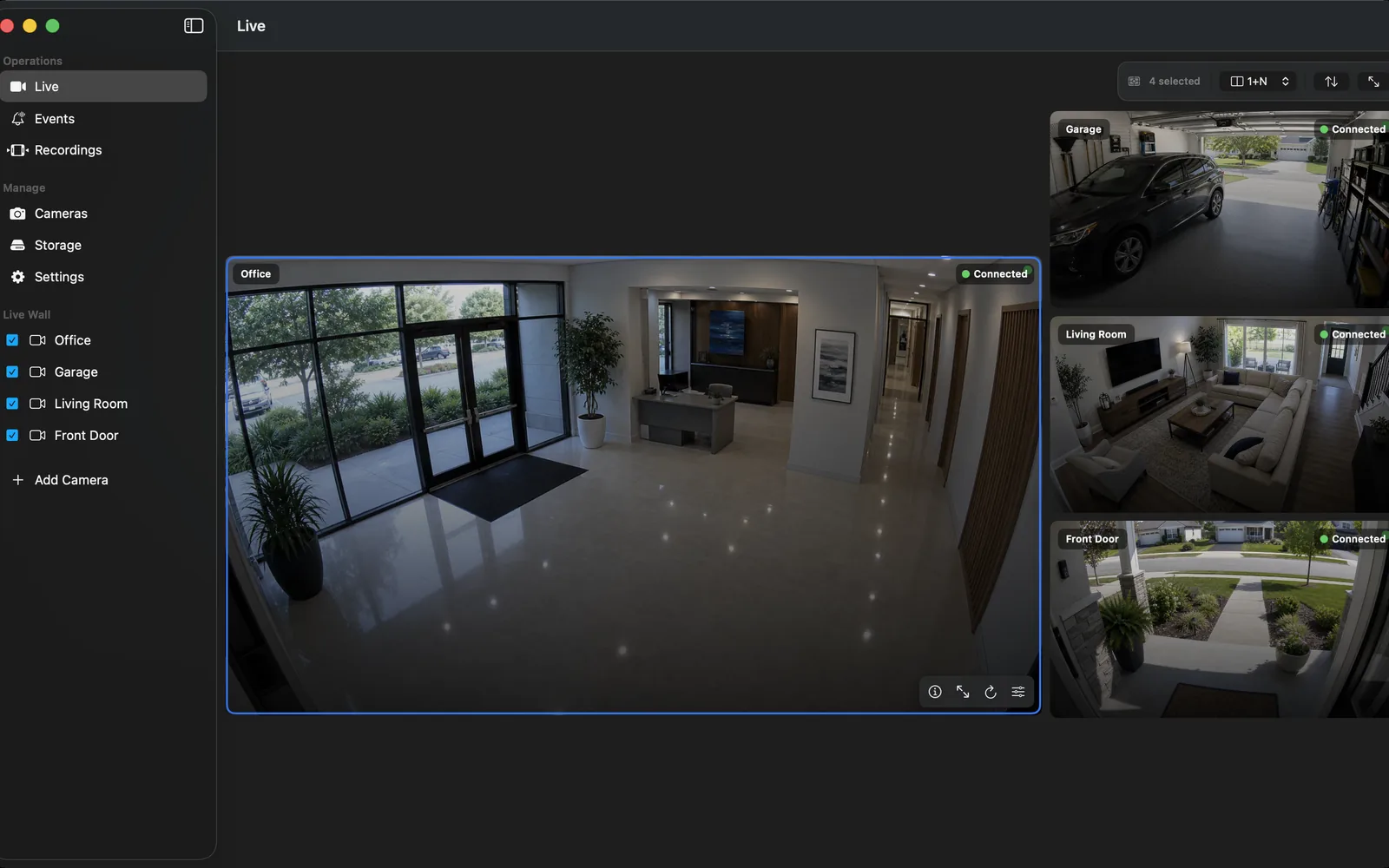
Start with a verified local RTSP input
Use a camera with an enabled, documented local RTSP stream. Add it to the NVR, choose a suitable profile, and complete a live-view, recording, restart, and playback test. That establishes a dependable recording path before adding any viewer-facing delivery layer.
ONVIF can help discover compatible local cameras and profiles, but RTSP is the direct media input to validate. Avoid treating a vendor cloud preview as proof of local compatibility.
Choose the delivery protocol by the viewing job
WebRTC is designed for real-time communication in browsers and can be appropriate when low viewing latency matters. HLS uses ordinary HTTP delivery and is widely compatible with web and Apple playback environments, but its segment-based design typically introduces more delay. RTMP is often used for ingest or a relay in broadcast-style workflows rather than as the usual modern browser playback format.
Use one vocabulary for the team: camera input, NVR recording, local live wall, remote viewer delivery, and archive playback are separate layers. This prevents a successful demo from hiding a missing recording or weak access control.
Keep recording independent from a viewer session
An NVR should continue recording based on its configured policy even when nobody is watching remotely. Test this by starting a short continuous or event recording, closing the viewer, restarting the app in a planned test, and reviewing the new segment from the timeline.
For multi-camera sites, plan the primary and secondary stream roles. A lower-bitrate live-wall stream can reduce load, while a main stream preserves detail for selected clips where the network and storage permit it.
Use a relay only when it solves a real need
A self-hosted media relay can translate a private camera input into HLS, WebRTC, or RTMP for a known audience. Treat it as an advanced component with its own authentication, updates, bandwidth, and monitoring—not as an automatic reason to publish a camera feed.
Keep the raw camera and NVR management services private. Give remote viewers the minimum access needed, prefer authenticated paths, and remove temporary tests when they are no longer required.
Test the complete path
Check the camera's RTSP input, the NVR's recorded file or segment, playback after a restart, the viewer's latency, and what happens when the network briefly drops. Include night scenes and several cameras if they are part of the deployment.
Record the exact device, stream profile, delivery protocol, and whether audio is intended. That documentation is more useful than a generic statement that the camera is "live".
Frequently asked questions
Which protocol should an IP camera use for an NVR?
Use the camera's verified RTSP stream as the direct local NVR video input. Use WebRTC, HLS, or RTMP only when a separate viewing or relay requirement calls for them.
Is WebRTC better than HLS for a security camera?
WebRTC can be preferable when low viewer latency is the priority. HLS can be preferable for broad HTTP-based playback compatibility. Neither choice replaces a tested NVR recording workflow.
Can I stream a camera to a browser and still record it?
Yes, if the NVR recording path remains configured and independently tested. Treat remote streaming as a second delivery layer, not the recording proof.
Should I publish an RTSP URL online?
No. Keep raw RTSP private. Exposing it can reveal camera video and credentials or create a public attack surface.
Sources and further reading
Record locally on the Apple device that fits the job.
Mac, iPhone, iPad, and Apple TV all support local recording. Recording modes and storage options can differ by platform and app version.