
NVR basics
RTSP URL List and Stream Formats for Major Camera Brands
A consolidated RTSP URL list for Hikvision, Dahua, Reolink, Axis, Bosch, and 14 more brands: main and sub stream address formats with model cautions.
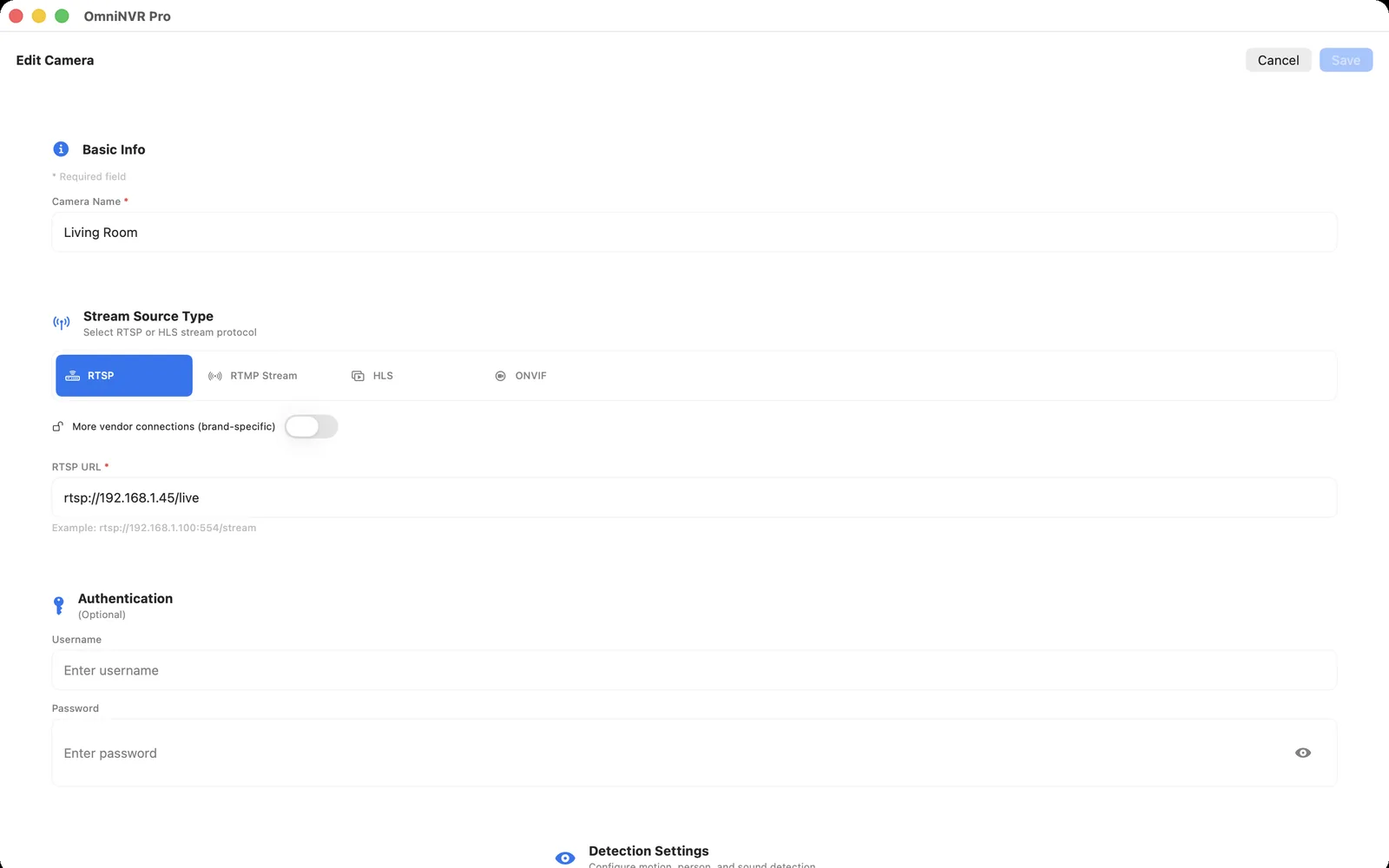
How an RTSP URL is structured
Every camera RTSP address follows the same skeleton: a scheme (rtsp://, or rtsps:// when the camera supports TLS), the camera's IP address or hostname, a port, and a vendor-specific path. Port 554 is the conventional default, but it is not universal—many Foscam models serve RTSP on port 88, GeoVision devices default to 8554, and UniFi Protect issues rtsps:// URLs on port 7441. See the RTSP port guide for registered defaults, TCP/UDP behavior, and safe firewall testing.
The path is where brands diverge. It usually encodes which channel to open—a standalone camera, or one channel of a recorder—and which quality level to use: the high-bitrate main stream or the lighter sub stream. The table below consolidates the formats these vendors document. Treat each entry as a starting point rather than a guarantee, because paths change across models, firmware versions, and regional variants.
RTSP URL list by camera brand
The examples use placeholder credentials (user:pass) and a placeholder address (CAMERA_IP). In an NVR that provides separate username and password fields, leave the credentials out of the URL and enter them in the protected fields instead.
| Brand | Main stream URL format | Sub stream URL format | Notes |
|---|---|---|---|
| Hikvision | rtsp://user:pass@CAMERA_IP:554/Streaming/Channels/101 | .../Streaming/Channels/102 | Recorder channels use 201/202, 301/302. Older firmware may use /h264/ch1/main/av_stream. Varies by model and firmware. |
| Dahua | rtsp://user:pass@CAMERA_IP:554/cam/realmonitor?channel=1&subtype=0 | ...channel=1&subtype=1 | channel selects the camera or recorder channel. Varies by model and firmware. |
| Reolink | rtsp://user:pass@CAMERA_IP:554/h264Preview_01_main | .../h264Preview_01_sub | H.265 configurations may use a different path; ONVIF can return the preferred URI. Varies by model and firmware. |
| Axis | rtsp://user:pass@CAMERA_IP/axis-media/media.amp | .../media.amp?streamprofile=PROFILE | Default port 554. Query parameters select a saved profile, channel (?camera=2), and codec. Varies by model and firmware. |
| Amcrest | rtsp://user:pass@CAMERA_IP:554/cam/realmonitor?channel=1&subtype=0 | ...channel=1&subtype=1 | Amcrest documents the same realmonitor path as Dahua-derived firmware. Varies by model and firmware. |
| Tapo | rtsp://user:pass@CAMERA_IP:554/stream1 | .../stream2 | Requires a camera account created in the Tapo app; battery models are generally excluded. Varies by model and firmware. |
| VIGI | rtsp://user:pass@CAMERA_IP:554/stream1 | .../stream2 | TP-Link documents ONVIF Profile S/G/T plus RTSP; prefer ONVIF discovery and confirm the path per model. |
| EZVIZ | rtsp://user:pass@CAMERA_IP:554/ch1/main | Varies by model | Username is commonly admin with the device verification code. RTSP support itself is model-specific. |
| Uniview | rtsp://user:pass@CAMERA_IP:554/media/video1 | .../media/video2 | Third stream is /media/video3; fisheye and dual-lens models use other indexes. Varies by model and firmware. |
| Vivotek | rtsp://user:pass@CAMERA_IP:554/live.sdp | .../live2.sdp | Newer firmware changed the default access name to live1s1.sdp, and access names are configurable. Varies by model and firmware. |
| Bosch | rtsp://user:pass@CAMERA_IP/rtsp_tunnel | rtsp://user:pass@CAMERA_IP/?h26x=4&inst=2 | h26x selects the codec (4 = H.264, 5 = H.265) and inst selects the stream instance. Varies by model and firmware. |
| Hanwha | rtsp://user:pass@CAMERA_IP:554/profile2/media.smp | .../profile3/media.smp | Profile numbers map to configured media profiles; on many Wisenet models profile2 is the main stream. Varies by model and firmware. |
| Foscam | rtsp://user:pass@CAMERA_IP:88/videoMain | .../videoSub | Many models serve RTSP on port 88 (the HTTP port); some use 554. Varies by model and firmware. |
| GeoVision | rtsp://user:pass@CAMERA_IP:8554/CH001.sdp | Varies by model | Default RTSP port is 8554; channel numbers are three digits (CH001, CH002). Varies by model and firmware. |
| Lorex | rtsp://user:pass@CAMERA_IP:554/cam/realmonitor?channel=1&subtype=0 | ...channel=1&subtype=1 | Many Lorex devices use Dahua-derived firmware, but newer app-centric models may not expose RTSP at all. Varies by series and firmware. |
| Ubiquiti UniFi | Generated by UniFi Protect (rtsps://CONSOLE_IP:7441/TOKEN) | Per-quality toggle in Protect | Enable RTSP per camera in the Protect console; the URL contains a generated token rather than a fixed path. |
| ANNKE | rtsp://user:pass@CAMERA_IP:554/Streaming/Channels/101 | .../Streaming/Channels/102 | Hikvision-derived firmware; older devices may use /H264/ch1/main/av_stream. Varies by model and firmware. |
| Intelbras | rtsp://user:pass@CAMERA_IP:554/cam/realmonitor?channel=1&subtype=0 | ...channel=1&subtype=1 | Intelbras VIP manuals document the realmonitor path. Varies by model and firmware. |
| CP Plus | Model-dependent; often Dahua-style realmonitor | See the model manual | Many CP Plus devices are OEM builds, but not all follow the same path. Copy the URL from the exact model's manual or web interface. |
If a documented format fails, do not iterate through other brands' paths against the same camera. Repeated failed logins can lock the account, and a wrong-but-accepted path may silently open a different channel than you intended.
When the exact model is not in this list
Do not guess by cycling through another brand's paths. Follow the dedicated how to find an IP camera RTSP URL workflow: verify the complete model and region, use its current documentation, ask authenticated ONVIF media profiles for their stream URIs, and inspect the camera's local interface.
This page is a format reference; the discovery guide is the canonical step-by-step method. If those sources produce no URL, the camera may not expose RTSP at all. Cloud-only cameras, many battery models, and some regional variants have no local stream that a URL list can manufacture.
Why embedding credentials in the URL is risky
A URL that contains user:pass@ is easy to leak: it appears in player logs, shell history, screenshots, shared notes, exported configurations, and support tickets. Special characters in the password also need percent-encoding inside a URL, which is a common source of authentication failures that look like wrong-path errors.
Prefer an application with separate credential fields—OmniNVR stores camera credentials in the Apple Keychain rather than in a plain-text URL. Use a dedicated camera account with viewing permissions only, never the administrator or cloud-app login. And regardless of how credentials are stored, do not forward a camera's RTSP port to the public internet; exposed camera services are a recurring subject of security advisories.
Validate the URL in an NVR before relying on it
First prove the URL in a generic player such as VLC (Media, then Open Network Stream) or ffplay. A player confirms that the scheme, host, port, path, and credentials produce decodable video. It does not confirm that the stream can be recorded reliably.
Then add the same URL to the NVR and test the full pipeline: several minutes of stable live video, a short recording, timeline playback, and a reconnect after briefly interrupting the network. Repeat with the sub stream if you plan to record it continuously. Only after those steps should a URL from any list—including this one—be treated as verified for your camera.
Frequently asked questions
What is the default RTSP port for IP cameras?
Port 554 is the conventional default for most brands, but it is device-specific: many Foscam models use 88, GeoVision defaults to 8554, and UniFi Protect issues rtsps:// URLs on 7441. Confirm the port in the camera settings.
What is the Hikvision RTSP URL format?
Hikvision documents rtsp://user:pass@CAMERA_IP:554/Streaming/Channels/101 for the main stream and 102 for the sub stream, with 201/202 and 301/302 for additional recorder channels. Older firmware may use /h264/ch1/main/av_stream. The format varies by model and firmware.
What is the Reolink RTSP URL format?
The commonly documented pattern is rtsp://user:pass@CAMERA_IP:554/h264Preview_01_main, with the sub stream ending in _sub. H.265 configurations may use a different path, so verifying the URI through ONVIF is safer.
Is there one universal RTSP URL that works on every camera?
No. The path portion of an RTSP URL is vendor-defined and often model- and firmware-specific. The reliable universal method is asking the camera for its stream URI through ONVIF.
Where can I find a public IP camera URL to test with?
Avoid lists of open public cameras—many aggregate unsecured private devices, and connecting to them may be unauthorized. A local test stream created with MediaMTX and ffmpeg, or a vendor-published test stream, is a safer and more dependable option.
Sources and further reading
- RFC 7826 — Real-Time Streaming Protocol Version 2.0
- ONVIF Profiles
- Hikvision — RTSP stream path and channel numbering
- Dahua — Network Camera Web 3.0 operation manual
- Reolink — Introduction to RTSP
- Axis — Video streaming over RTSP API
- Amcrest — Accessing Amcrest products using RTSP
- TP-Link Tapo — View cameras with RTSP and ONVIF
- TP-Link VIGI — Use cameras with third-party NVR or software
- EZVIZ — Security camera RTSP setup and device-specific support
- Uniview — How to get a Uniview camera's RTSP stream
- Bosch — RTSP usage with Bosch video IP devices
- Hanwha Vision — Camera RTSP URL
- Foscam — How to get the RTSP stream of Foscam HD cameras
- Lorex — Using Real Time Streaming Protocol (RTSP) with your DVR / NVR
- Intelbras — VIP camera user manual with RTSP paths
- CP Plus — Product user manuals
- CISA guidance for IP camera and NVR network exposure
Record locally on the Apple device that fits the job.
Mac, iPhone, iPad, and Apple TV all support local recording. Recording modes and storage options can differ by platform and app version.