
Wireless IP camera setup
Wireless IP Camera and NVR Setup: Local RTSP Recording over Wi-Fi
Connect a compatible wireless IP camera to a local NVR using RTSP, then test Wi-Fi stability, stream profiles, recovery, and retention before scaling up.
Separate Wi-Fi cameras from battery cameras
"Wireless" can mean a mains-powered Wi-Fi camera or a battery-powered camera that wakes for short events. For an NVR, those are different designs. A mains-powered Wi-Fi camera with documented RTSP can be tested for continuous local recording; a sleeping battery camera may intentionally limit third-party streaming and is often unsuitable for a continuous recorder.
Read the exact model documentation. Some ranges require enabling a local-stream setting, may limit the number of RTSP/ONVIF viewers, or offer different behavior by region and firmware.
Set up one camera close to the network first
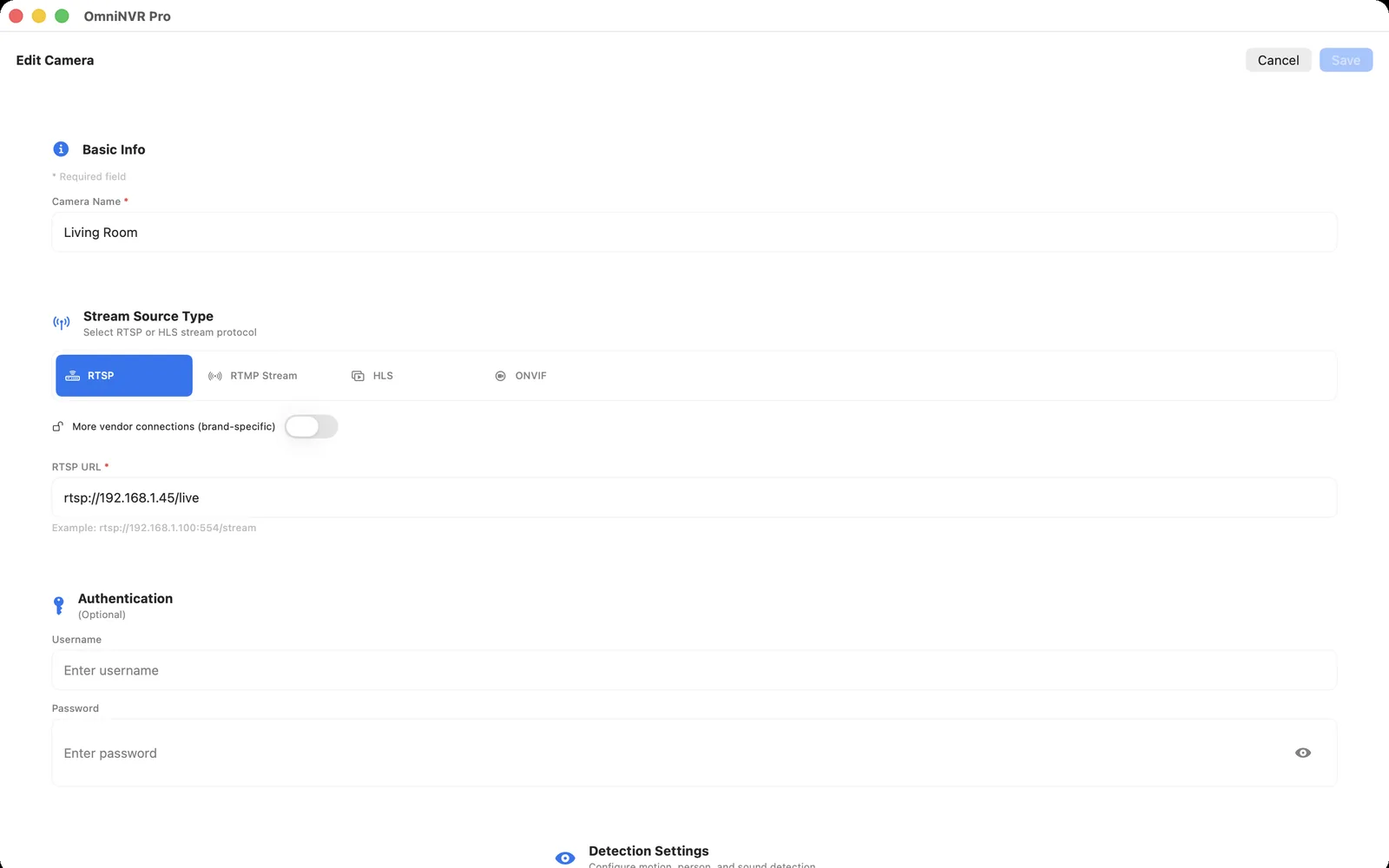
Before mounting, update the camera from its official source, give it a DHCP reservation, create a dedicated NVR account where supported, and enable the documented RTSP path. Add it to OmniNVR, select the intended stream profile, and make a short recording.
RTSP is the direct media input to verify. ONVIF discovery can help find compatible cameras and profiles, but it should not make you assume that every control or event feature will work across vendors.
Measure Wi-Fi where the camera will operate
Move the camera to its proposed position and run a sustained live-view and recording test. Look for gaps after appliances, walls, people, or other radios are active. If several cameras share one access point, test them together at their planned bitrates instead of validating them one at a time.
Use a sub stream for an overview wall when available and keep the high-detail stream for selected recording needs. This can reduce wireless load without abandoning useful evidence quality.
Plan for congestion and recovery
Use a predictable local network name, avoid moving cameras between guest and isolated networks without a plan, and keep the recorder able to reach the camera. A brief outage should result in a clear reconnect and a new playable NVR segment, not an unnoticed gap.
Do not borrow the camera's owner account for every integration. A separate view-only account limits the blast radius of an accidental disclosure and makes later replacement easier.
When to choose a cable instead
Choose PoE or Ethernet when the camera protects a critical entry, the Wi-Fi signal is inconsistent, long continuous recording is required, or several high-bitrate cameras share a small network. Wireless is a placement convenience, not a substitute for a reliable transport path.
Document the camera model, IP reservation, protocol setting, and stream profile so the system remains supportable after a router or camera replacement.
Frequently asked questions
Can a wireless IP camera work with an NVR?
Yes, if the exact mains-powered camera releases a stable RTSP stream that the NVR can reach over the local network. Test recording, playback, and recovery at the final mounting location.
Does a Wi-Fi camera need ONVIF?
No. RTSP can provide the direct video input. ONVIF can simplify discovery and profile selection where the camera supports it.
Why does my wireless camera work in its app but not the NVR?
The vendor app may use a cloud or proprietary path while RTSP is disabled, restricted, or configured with different credentials. Enable and test the documented local stream separately.
How many Wi-Fi cameras can one NVR handle?
It depends on access-point capacity, signal quality, stream bitrates, network topology, and the recorder. Test the intended cameras together before relying on the installation.
Sources and further reading
Record locally on the Apple device that fits the job.
Mac, iPhone, iPad, and Apple TV all support local recording. Recording modes and storage options can differ by platform and app version.