NVR comparison
Best NVR Software for Windows in 2026: 5 Options Compared
Compare OmniNVR, Blue Iris, Agent DVR, Scrypted NVR, and Nx Witness for Windows by recording host, architecture, licensing, and setup responsibility.
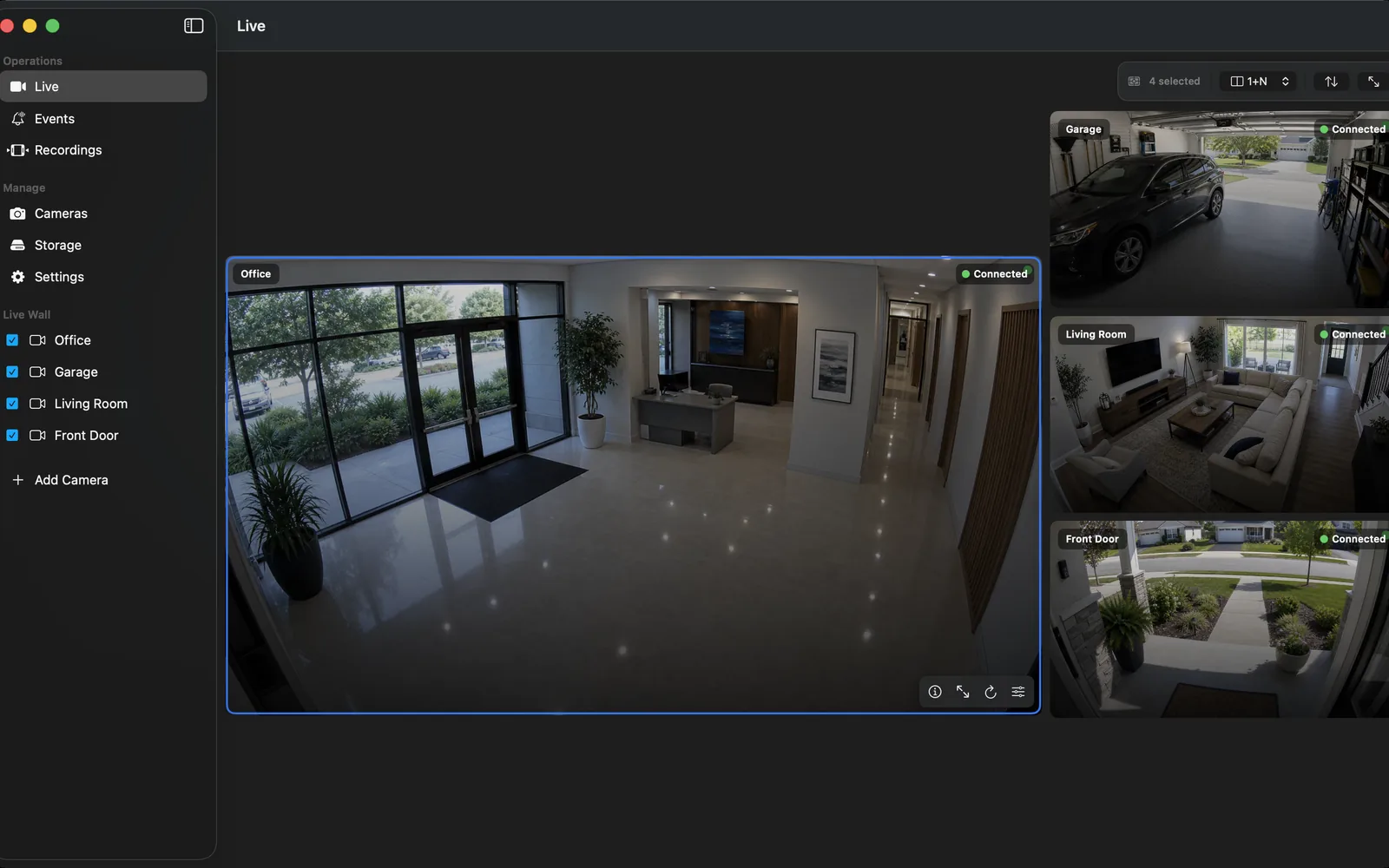
Fact-checked against official sources on October 20, 2026. OmniNVR platform roles and storefront availability are tracked on the platform facts page. Features, system requirements, and prices may change. Product names and trademarks belong to their respective owners; OmniNVR and TardisLabs are not affiliated with the compared vendors.
Quick picks: choose the operating model first
OmniNVR for Windows is available now from the Microsoft Store. Include it when you want local camera monitoring and recording in a Windows application. The current listing places continuous recording behind Pro; check the released Windows feature set and purchase terms before choosing a recording policy. Its Apple apps have separate capabilities.
Blue Iris belongs on the shortlist when detailed camera settings, triggers, recording rules, and a dedicated Windows workstation are central to the project. Agent DVR fits a server that operators control through a browser, especially if moving between operating systems matters. Scrypted NVR fits a smart-home installation that wants its plugin ecosystem and detection-led review. Nx Witness fits professional server administration, multiple operators, and expansion across sites.
Choose the workflow you can maintain when the installer is away. A family camera monitor, a shop recorder, and a control room can share cameras without sharing the same software requirements. See the macOS comparison when the recorder must run on a Mac.
Windows NVR comparison table
These are host and licensing distinctions, not camera-capacity or speed scores. A supported Windows recorder differs from a Windows browser or client that only views a recorder elsewhere.
| Software | Best fit | Recording host | Architecture | Licensing caveat |
|---|---|---|---|---|
| OmniNVR | Direct local Windows app workflow | Windows; verify Store device requirements | Microsoft Store application | Continuous recording requires Pro; check current in-app terms |
| Blue Iris 6 | Detailed Windows recording and trigger controls | 64-bit Windows | Application / Windows service with UI3 web access | Paid LE/full editions; maintenance and commercial terms matter |
| Agent DVR | Browser-managed, cross-platform server | Windows, macOS, Linux, Docker | Recorder service with browser interface | Private local tier; licensed HD/AI, business, and remote features |
| Scrypted NVR | Smart-home plugins and detection-led review | Windows Desktop App; other supported hosts available | Scrypted server plus paid NVR plugin | Paid subscription with licensed cameras; Desktop App required |
| Nx Witness | Professional server/client and site management | Windows, Ubuntu, supported ARM server devices | Separate server and desktop/mobile clients | Enterprise subscription; regional Professional perpetual option |
Start the purchasing discussion with the exact computer, camera models, and recording task. A product's maximum licensed camera count is not the number a particular PC can record while also displaying, analyzing, and exporting video.
OmniNVR or Blue Iris for an application on the PC?
OmniNVR is an option for someone who wants to install a Windows camera application and evaluate a local recording workflow directly. Begin with one compatible camera, verify the controls in the installed build, and complete playback of a known recording. Use the Windows NVR setup guide for that first acceptance test. Do not infer Windows AI, export, remote access, service startup, or storage behavior from screenshots of its Mac edition.
Blue Iris 6 documents continuous, periodic, motion-triggered, and audio-triggered recording, a Windows service mode, and UI3 web viewing. The full edition supports up to 128 cameras, while LE is limited to one. That makes its configuration depth relevant when the requirement already calls for a surveillance workstation. License capacity still needs a workload test on the intended hardware.
Prefer the candidate whose ordinary actions your operator can repeat: identify a disconnected camera, find the delivery at a known time, and preserve the relevant footage. Compare advanced controls only after those actions work.
Agent DVR and Scrypted NVR: server workflows
Agent DVR runs on Windows and offers other host options, with a browser interface for operating the recorder. Its camera inputs include IP cameras, ONVIF devices, RTSP streams, and USB cameras. This is useful when several computers need a consistent control surface or when host portability matters. Installation simplicity should be assessed alongside service administration, browser access, recording folders, and account ownership.
Scrypted NVR combines a server, plugins, detection features, and timeline review. Its Windows and macOS NVR installations must use the Desktop App. The supported-server policy includes Windows Desktop and Apple Silicon Desktop configurations, plus supported Docker or Proxmox systems. Scrypted's wider open-source integration platform and its paid NVR plugin are separate licensing decisions.
For either product, write down which component captures video, which component presents the interface, and what each remote connection depends on. Test local recording and remote viewing independently. Hosted remote access, notifications, and integrations may introduce accounts, services, or subscriptions beyond the camera and local disk.
Professional deployments and products that need another host
Nx Witness separates Nx Server from Nx Desktop and mobile clients. The server supports Windows, Ubuntu Linux, and supported ARM devices; the desktop client also supports macOS. That separation matters for organizations assigning recording, storage, permissions, and review to different machines. Ask a local partner about the current licensing offer: the vendor now describes Enterprise subscriptions as its primary model, with Professional perpetual licenses in selected regions.
Frigate is worth evaluating for a dedicated local AI and Home Assistant server, but it is not a supported native Windows NVR choice. Its installation documentation recommends Docker on a Debian-based bare-metal host and explicitly says Windows is not officially supported. WSL or virtual-machine experiments can encounter accelerator passthrough problems. Treat a Linux Frigate server viewed from Windows as a different architecture.
SecuritySpy is a native Mac recorder. A Windows browser accessing another platform does not move the recording service onto Windows. Eliminate host mismatches before comparing feature lists.
Compare licensing, storage, and operator effort
Record the total cost over the period you intend to operate the system: software, recording rights, remote services, disks, power, replacement hardware, and maintenance time. Blue Iris includes an initial maintenance period with its license and offers renewal options. Agent DVR permits private local use but requires a license for features such as HD video, local learning AI, remote access, and business use. Annual-or-longer Agent prepayment includes perpetual local features, excluding hosted services. Verify the current tier against the task.
For storage, start with measured recorded bitrate. One sustained megabit per second is approximately 10.8 GB per day in decimal units, before overhead. Four cameras averaging 4 Mbps therefore produce about 173 GB daily. Detection, changing scenes, and camera bitrate settings can alter the actual result. Keep free-space headroom and check the application's released retention controls; a full disk is not a valid acceptance test for automatic cleanup.
Use the retention planning guide and camera compatibility checklist before expanding the system.
How this comparison was researched and how to validate a choice
This article is published by OmniNVR. We checked the cited official vendor pages on October 20, 2026. The shortlist describes documented platform, architecture, and licensing differences. We did not run a comparative hardware benchmark, score detection accuracy, or test these products against one shared camera fleet. Recommendations identify a likely fit to investigate.
Use the same camera firmware, stream profile, timestamps, and recording objective for each trial. Record a known event, retrieve it by time, and preserve it using the product's supported workflow. Then test a camera restart, a brief network interruption, an application restart, and the intended Windows power settings. Log failures and manual recovery steps.
Increase camera count gradually and include ordinary review while recording continues. Confirm the next day's footage before retiring an existing recorder. For viewing away from the site, follow the secure remote-access guide and the selected product's current documentation.
Frequently asked questions
What is the best NVR software for Windows?
Choose by workflow: OmniNVR for a direct local Windows app, Blue Iris for detailed Windows controls, Agent DVR for a browser-managed server, Scrypted NVR for smart-home plugins, and Nx Witness for professional server/client deployments. These are research-based fits, not benchmark results.
Is OmniNVR available for Windows?
Yes. OmniNVR for Windows is available from the Microsoft Store listing linked in this guide. Continuous recording requires Pro according to the current listing; verify other features and device requirements in the installed release.
Is Agent DVR completely free?
It has a private local-use tier, but licenses apply to business use, remote access, HD video, local learning AI, and other paid features. Annual-or-longer prepayment includes perpetual local features, while hosted services depend on the applicable service plan.
Can Frigate run natively on Windows?
Frigate is distributed as a Docker container, recommends a Debian-based Linux host, and explicitly does not officially support Windows. Windows users can view a separately hosted server; WSL and virtual machines are not equivalent to supported native Windows hosting.
How many cameras can my Windows PC record?
That depends on recording bitrate, decoding and detection work, disk throughput, memory, network capacity, and the software license. Add cameras gradually and measure the full recording and review workload on the intended PC.
Sources and further reading
- Microsoft Store — OmniNVR for Windows, published by Tardis Labs
- OmniNVR — public platform roles and storefront links
- Blue Iris — Windows requirements, recording, editions, and maintenance
- Agent DVR — official Windows, macOS, Linux, and Docker installation
- Agent DVR — camera inputs, recording, and integrations
- Agent DVR — private local use, subscription plans, and perpetual local licenses
- Scrypted — Desktop App installation and licensing
- Scrypted NVR — paid plugin setup and Windows/macOS installation requirements
- Scrypted NVR — supported servers, cameras, trial, and subscription policy
- Scrypted NVR — subscription and camera-license billing
- Network Optix — Nx Server architecture and supported host systems
- Network Optix — Nx Desktop client roles and operating systems
- Network Optix — current Enterprise subscription and regional Professional licensing
- Frigate — Docker deployment and Windows support caveat
- SecuritySpy — Mac requirements, camera-count licensing, and support terms
Choose Windows or an Apple device for local recording.
OmniNVR is available on Windows, Mac, iPhone, iPad, and Apple TV. Recording modes, purchase requirements, storage, and review tools vary by released platform build.