
CCTV planning
Best Home CCTV System: How to Choose Cameras, NVR and Storage
Choose a home CCTV system by coverage, camera compatibility, recording, storage, privacy, and recovery—not an unsupported brand ranking.
The short answer: choose an architecture before a brand
There is no single best home CCTV brand or kit for every property. Start by defining the scenes and evidence you need, then choose compatible cameras, power and network paths, recording architecture, storage, viewing devices, and remote-access boundary. A modest system that records reliably and is easy to review is better than a larger specification sheet that is not tested after installation.
Write down the required coverage before shopping: entrances, driveway or parking area, shared interior spaces, detached buildings, blind spots, and any area that should deliberately remain unrecorded. Also identify who is authorized to view footage and check applicable privacy, audio-recording, placement, and retention rules in the installation's jurisdiction.
Best home CCTV architecture by situation
| Home situation | Practical starting architecture | Why it fits |
|---|---|---|
| Apartment or one to two entrances | A small number of continuously powered cameras with documented local streams plus a compact hardware or software NVR | Keeps operation and review simple while preserving local recording |
| Wired house with several exterior views | PoE cameras on a correctly sized switch, local NVR storage, and backup power for the recording path | Centralizes power and provides predictable wired camera links |
| Cabling is impractical | Continuously powered Wi-Fi cameras with verified local streams and a recorder on a stable LAN | Avoids new data cabling while retaining local recording; radio and reconnect behavior still need testing |
| Existing mixed camera brands | A software NVR that accepts the documented standards exposed by each exact model | Can preserve useful cameras without forcing one vendor, but every stream must be validated |
| Battery or solar-only locations | Event-oriented camera recording, or a model and power system explicitly documented for sustained streaming | Battery sleep and charging conditions often conflict with continuous NVR sessions |
This is an architecture shortlist, not a brand ranking. The final choice still depends on the exact model, regional firmware, lighting, network, storage, and the recording duty you test.
Choose cameras for the scene, not the megapixel number
Image usefulness depends on distance, field of view, mounting height, movement, daylight, backlighting, night illumination, weather exposure, lens choice, compression, frame rate, and bitrate. A high-resolution camera pointed too widely or mounted at a poor angle may capture less useful evidence than a lower-resolution camera designed for the exact scene.
- Power and network: decide whether a wired PoE run is practical or a powered wireless camera is necessary.
- Local recording: verify that the exact model and firmware expose the documented RTSP, RTSPS, ONVIF, HLS, or other input required by the chosen recorder.
- Stream roles: check whether main and sub streams are independently available and which codecs they use.
- Night and weather: evaluate official operating conditions and test the installed scene after dark and during expected weather.
- Audio and PTZ: buy these only when needed, legally appropriate, and supported through the actual recorder workflow.
For a wireless, solar, or battery CCTV camera, verify how long the camera can keep a third-party stream open and whether charging, sleep, weather, or weak radio conditions interrupt recording. A vendor mobile app showing live video does not prove that a third-party NVR can authenticate, record, reconnect, or use PTZ. Use the camera compatibility checklist before buying several identical units.
Choose local NVR, edge, cloud, or a hybrid
| Recording design | Useful when | What to verify |
|---|---|---|
| Dedicated NVR appliance | A fixed recorder, internal drive bays, and possibly integrated PoE ports fit the installation | Camera compatibility, channel and bandwidth limits, drive support, export, updates, private camera ports, and remote access |
| Software NVR | You want recording on a supported computer, NAS, or device and control over host and storage choices | Operating system, uptime, storage permissions, camera streams, codecs, restart recovery, and maintenance |
| Camera edge storage | Short local fallback or a very small deployment is sufficient | Media endurance, retention, retrieval, time accuracy, and what remains if the camera is damaged or removed |
| Cloud recording | Managed off-site access or off-premises copies justify internet and subscription dependence | Upload bandwidth, recurring price, retention, privacy, outages, account recovery, and export |
| Hybrid | Local history and a deliberate secondary or edge copy are both valuable | Which copy is authoritative, how alerts and timelines align, and how each layer fails |
“Local” and “cloud” are not measures of quality by themselves. Choose the failure modes and operating costs you understand. Read local NVR versus cloud recording and what an NVR does before comparing feature lists.
Plan PoE, network capacity, storage, and power recovery
For wired cameras, Ethernet carries the network traffic while PoE adds standardized DC power over the same copper cable. Check every camera's official power demand, the switch's per-port limit and total PoE budget, and the uplink that carries all selected streams. A separate PoE switch can give a software NVR direct routed access; integrated NVR ports may place cameras on a vendor-specific private network.
Size storage from the bitrates that will actually be recorded, not resolution alone. Multiply aggregate recorded bitrate by recording time and retention, then leave operating margin and account for main/sub-stream policy, audio, event clips, and protected exports. The NVR storage calculator provides the planning method, while the system-requirements guide covers host, network, and disk load.
If recording continuity matters, backup power should cover every required layer: cameras, PoE switch, router or VLAN path, recorder host, and active storage. A powered recorder cannot record a camera whose switch has lost power.
Use a buyer checklist and test before scaling
Shortlist products only after the architecture is clear. For each candidate, record the exact model, firmware, local-stream documentation, codec, power method, update policy, warranty or support path, recorder compatibility, storage cost, subscription, and export procedure. Avoid treating a generic brand compatibility statement as proof for a battery model, regional SKU, doorbell, or newly revised firmware.
- Install one camera in a representative location and inspect day and night images.
- Record through the intended NVR for long enough to create several segments.
- Find a known time, play it, and export a clip on the device that will be used during an incident.
- Restart the camera, switch, and recorder separately and confirm that recording resumes.
- Verify retention cleanup, low-space behavior, user access, and the private remote-access method.
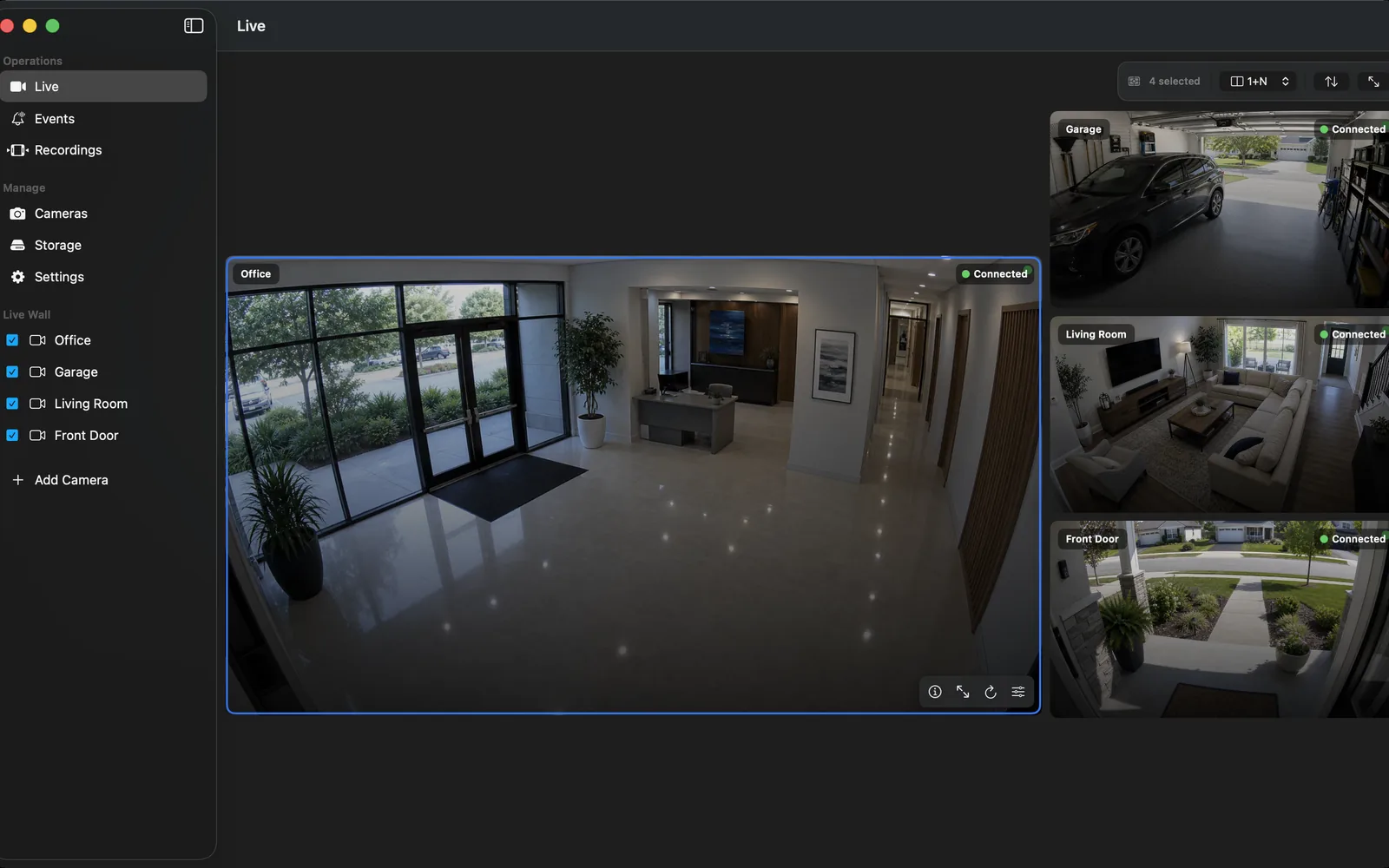
OmniNVR is one local software-NVR option when compatible camera streams and an Apple-platform workflow match the household. Mac, iPhone, iPad, and Apple TV releases have platform-specific roles and storage behavior, so check the current product facts and test the exact device instead of assuming feature parity.
Frequently asked questions
How many cameras does a home CCTV system need?
There is no universal number. Count the distinct scenes that require evidence, then test whether each camera provides useful detail at the expected distance and lighting. More cameras do not fix poor placement, weak lighting, unavailable storage, or an unreliable recorder.
Is a wired PoE CCTV system better than Wi-Fi?
PoE is often easier to power centrally and can provide a predictable wired path, but it requires suitable cabling and a correctly sized switch. Wi-Fi can fit locations where cabling is impractical, but signal quality, interference, power, and reconnect behavior must be tested. Neither is automatically best for every home.
Can a home CCTV system work without a monthly fee or internet?
Yes. Compatible cameras and a local hardware or software NVR can record on the local network without a cloud subscription or continuous internet connection. Hardware, storage, electricity, maintenance, app purchases, and optional remote or cloud services can still have costs.
Sources and further reading
- Axis Communications — Understanding the essentials of video surveillance
- Cisco — What Is Power over Ethernet (PoE)?
- Axis — Site Designer bandwidth and storage methodology
- RFC 7826 — Real-Time Streaming Protocol Version 2.0
- ONVIF Profiles
- CISA — Internet Exposure Reduction Guidance
- OmniNVR platform facts and App Store availability
Record locally on the Apple device that fits the job.
Mac, iPhone, iPad, and Apple TV all support local recording. Recording modes and storage options can differ by platform and app version.